<?xml version="1.0" encoding="UTF-8"?>
<?xml-stylesheet type="text/xsl" media="screen" href="/~d/styles/rss2full.xsl"?><?xml-stylesheet type="text/css" media="screen" href="http://feeds.feedburner.com/~d/styles/itemcontent.css"?><rss xmlns:feedburner="http://rssnamespace.org/feedburner/ext/1.0" version="2.0"><channel><title>Texture Lovers</title><link>http://www.texturelovers.com</link><atom10:link xmlns:atom10="http://www.w3.org/2005/Atom" rel="self" type="application/rss+xml" href="http://feeds.feedburner.com/texturelovers" /><description>Your one stop for free Textures, Texture Inspiration and Texture Tutorials</description><language>en</language><lastBuildDate>Mon, 25 Jan 2010 14:56:20 PST</lastBuildDate><generator>WordPress http://wordpress.org/</generator><feedburner:info uri="texturelovers" /><atom10:link xmlns:atom10="http://www.w3.org/2005/Atom" rel="hub" href="http://pubsubhubbub.appspot.com/" /><feedburner:emailServiceId>texturelovers</feedburner:emailServiceId><feedburner:feedburnerHostname>http://feedburner.google.com</feedburner:feedburnerHostname><item><title>Streaky Light Textures</title><link>http://feedproxy.google.com/~r/texturelovers/~3/-Qr_yudF6VU/</link><category>Light</category><category>Texture Packs</category><category>Abstract</category><dc:creator xmlns:dc="http://purl.org/dc/elements/1.1/">tdomf_7852e</dc:creator><pubDate>Mon, 25 Jan 2010 14:56:20 PST</pubDate><guid isPermaLink="false">http://www.texturelovers.com/?p=1461</guid><content:encoded xmlns:content="http://purl.org/rss/1.0/modules/content/"><![CDATA[<p>
	<img src="http://www.texturelovers.com/wp-content/uploads/arcanepalette-tp-1.jpg" alt="This image has no alt text" />
	</p><p>Various high resolution abstract light streaks.</p>
<img src="http://feeds.feedburner.com/~r/texturelovers/~4/-Qr_yudF6VU" height="1" width="1"/>]]></content:encoded><description>
	
	Various high resolution abstract light streaks.
</description><thr:total xmlns:thr="http://purl.org/syndication/thread/1.0">0</thr:total><feedburner:origLink>http://www.texturelovers.com/texture-packs/streaky-light-textures/</feedburner:origLink></item><item><title>Cloudy Sky Textures</title><link>http://feedproxy.google.com/~r/texturelovers/~3/e-_YSfnCakM/</link><category>Clouds &amp; Sky</category><category>Texture Packs</category><category>Abstract</category><dc:creator xmlns:dc="http://purl.org/dc/elements/1.1/">Max Stanworth</dc:creator><pubDate>Mon, 31 Aug 2009 09:12:27 PDT</pubDate><guid isPermaLink="false">http://www.texturelovers.com/?p=924</guid><content:encoded xmlns:content="http://purl.org/rss/1.0/modules/content/"><![CDATA[<p>
	<img src="http://www.texturelovers.com/wp-content/uploads/ohgrafico-tp-1.jpg" alt="This image has no alt text" />
	</p><p>Clouds and overcast skys, taken with a Nikon D40 camera. <a href="http://translate.google.com/translate?js=y&#038;prev=_t&#038;hl=en&#038;ie=UTF-8&#038;u=http%3A%2F%2Fwww.ohgrafico.com%2F55-fotografias-de-nubes-en-el-cielo-de-alta-resolucion&#038;sl=auto&#038;tl=en&#038;history_state0=" target="_blank">[English Translation]</a></p>
<img src="http://feeds.feedburner.com/~r/texturelovers/~4/e-_YSfnCakM" height="1" width="1"/>]]></content:encoded><description>
	
	Clouds and overcast skys, taken with a Nikon D40 camera. [English Translation]
</description><thr:total xmlns:thr="http://purl.org/syndication/thread/1.0">0</thr:total><feedburner:origLink>http://www.texturelovers.com/texture-packs/cloudy-sky-textures/</feedburner:origLink></item><item><title>Beach Textures</title><link>http://feedproxy.google.com/~r/texturelovers/~3/2uDKytZjniI/</link><category>Misc</category><category>Texture Packs</category><category>Sand</category><dc:creator xmlns:dc="http://purl.org/dc/elements/1.1/">Max Stanworth</dc:creator><pubDate>Mon, 31 Aug 2009 08:56:14 PDT</pubDate><guid isPermaLink="false">http://www.texturelovers.com/?p=1384</guid><content:encoded xmlns:content="http://purl.org/rss/1.0/modules/content/"><![CDATA[<p>
	<img src="http://www.texturelovers.com/wp-content/uploads/arcanep-tp-1.jpg" alt="This image has no alt text" />
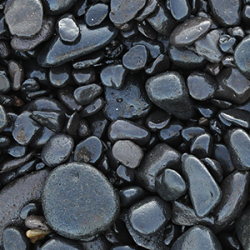
	</p><p>This first set takes us to the beach.  We’ve actually looked for good beach textures before, and they’re hard to find.</p>
<img src="http://feeds.feedburner.com/~r/texturelovers/~4/2uDKytZjniI" height="1" width="1"/>]]></content:encoded><description>
	
	This first set takes us to the beach.  We’ve actually looked for good beach textures before, and they’re hard to find.
</description><thr:total xmlns:thr="http://purl.org/syndication/thread/1.0">0</thr:total><feedburner:origLink>http://www.texturelovers.com/texture-packs/beach-textures/</feedburner:origLink></item><item><title>Manipulate Smoke to Create Hyper-Real Images</title><link>http://feedproxy.google.com/~r/texturelovers/~3/vnv5ktZJD4s/</link><category>Designing</category><category>Texture Tutorials</category><category>Photoshop</category><category>Smoke</category><dc:creator xmlns:dc="http://purl.org/dc/elements/1.1/">Max Stanworth</dc:creator><pubDate>Mon, 17 Aug 2009 10:05:05 PDT</pubDate><guid isPermaLink="false">http://www.texturelovers.com/?p=1402</guid><content:encoded xmlns:content="http://purl.org/rss/1.0/modules/content/"><![CDATA[<p>
	<img src="http://www.texturelovers.com/wp-content/uploads/psdtuts-tut-23.jpg" alt="This image has no alt text" />
	</p><p>Learn to apply the Warp Tool effectively and a few other tricks to make smoke look like a skull. This technique has a variety of outcomes and works well with water, clouds and a whole bunch of other stuff.</p>
<img src="http://feeds.feedburner.com/~r/texturelovers/~4/vnv5ktZJD4s" height="1" width="1"/>]]></content:encoded><description>
	
	Learn to apply the Warp Tool effectively and a few other tricks to make smoke look like a skull. This technique has a variety of outcomes and works well with water, clouds and a whole bunch of other stuff.
</description><thr:total xmlns:thr="http://purl.org/syndication/thread/1.0">0</thr:total><feedburner:origLink>http://www.texturelovers.com/texture-tutorials/manipulate-smoke-to-create-hyper-real-images/</feedburner:origLink></item><item><title>3D Text With Some Extreme Lighting</title><link>http://feedproxy.google.com/~r/texturelovers/~3/PQ9MvTO17-Q/</link><category>Text Effects</category><category>Texture Tutorials</category><category>3D</category><category>Illustrator</category><category>Photoshop</category><dc:creator xmlns:dc="http://purl.org/dc/elements/1.1/">Max Stanworth</dc:creator><pubDate>Mon, 17 Aug 2009 04:51:34 PDT</pubDate><guid isPermaLink="false">http://www.texturelovers.com/?p=1399</guid><content:encoded xmlns:content="http://purl.org/rss/1.0/modules/content/"><![CDATA[<p>
	<img src="http://www.texturelovers.com/wp-content/uploads/denisdesigns-tut-1.jpg" alt="This image has no alt text" />
	</p><p>Today we are going to take an object/text, change it from 2-D to 3-D and give it some realistic effects. We are going to be using Illustrator to create the object, then bring it into Photoshop to add highlights and shadows.</p>
<img src="http://feeds.feedburner.com/~r/texturelovers/~4/PQ9MvTO17-Q" height="1" width="1"/>]]></content:encoded><description>
	
	Today we are going to take an object/text, change it from 2-D to 3-D and give it some realistic effects. We are going to be using Illustrator to create the object, then bring it into Photoshop to add highlights and shadows.
</description><thr:total xmlns:thr="http://purl.org/syndication/thread/1.0">0</thr:total><feedburner:origLink>http://www.texturelovers.com/texture-tutorials/3d-text-with-some-extreme-lighting/</feedburner:origLink></item><item><title>Abstract Web Background From Texture</title><link>http://feedproxy.google.com/~r/texturelovers/~3/CpgMt1xaeVU/</link><category>Effects</category><category>Texture Tutorials</category><category>Abstract</category><category>Photoshop</category><dc:creator xmlns:dc="http://purl.org/dc/elements/1.1/">Max Stanworth</dc:creator><pubDate>Mon, 17 Aug 2009 04:44:18 PDT</pubDate><guid isPermaLink="false">http://www.texturelovers.com/?p=1396</guid><content:encoded xmlns:content="http://purl.org/rss/1.0/modules/content/"><![CDATA[<p>
	<img src="http://www.texturelovers.com/wp-content/uploads/reedncoded-tut-1.jpg" alt="This image has no alt text" />
	</p><p>I would like to share one simple but interesting way to create cool textures for your website in minutes.</p>
<img src="http://feeds.feedburner.com/~r/texturelovers/~4/CpgMt1xaeVU" height="1" width="1"/>]]></content:encoded><description>
	
	I would like to share one simple but interesting way to create cool textures for your website in minutes.
</description><thr:total xmlns:thr="http://purl.org/syndication/thread/1.0">0</thr:total><feedburner:origLink>http://www.texturelovers.com/texture-tutorials/abstract-web-background-from-texture/</feedburner:origLink></item><item><title>Wood Textures</title><link>http://feedproxy.google.com/~r/texturelovers/~3/Au7Jop6EO0Q/</link><category>Texture Packs</category><category>Wood</category><category>Wood Grain</category><dc:creator xmlns:dc="http://purl.org/dc/elements/1.1/">Max Stanworth</dc:creator><pubDate>Mon, 17 Aug 2009 04:39:48 PDT</pubDate><guid isPermaLink="false">http://www.texturelovers.com/?p=1393</guid><content:encoded xmlns:content="http://purl.org/rss/1.0/modules/content/"><![CDATA[<p>
	<img src="http://www.texturelovers.com/wp-content/uploads/psddeluxe-tp-1.jpg" alt="This image has no alt text" />
	</p><p>Wood textures can add more natural feeling to your artworks. Wood textures can be used as backgrounds or apply them to objects.</p>
<img src="http://feeds.feedburner.com/~r/texturelovers/~4/Au7Jop6EO0Q" height="1" width="1"/>]]></content:encoded><description>
	
	Wood textures can add more natural feeling to your artworks. Wood textures can be used as backgrounds or apply them to objects.
</description><thr:total xmlns:thr="http://purl.org/syndication/thread/1.0">0</thr:total><feedburner:origLink>http://www.texturelovers.com/texture-packs/wood-textures-2/</feedburner:origLink></item><item><title>Old Paper Textures</title><link>http://feedproxy.google.com/~r/texturelovers/~3/HWwkbZgONrs/</link><category>Paper</category><category>Texture Packs</category><category>Old</category><category>Vintage</category><dc:creator xmlns:dc="http://purl.org/dc/elements/1.1/">tdomf_7852e</dc:creator><pubDate>Mon, 17 Aug 2009 04:30:21 PDT</pubDate><guid isPermaLink="false">http://www.texturelovers.com/?p=1382</guid><content:encoded xmlns:content="http://purl.org/rss/1.0/modules/content/"><![CDATA[<p>
	<img src="http://www.texturelovers.com/wp-content/uploads/tdys-tp-2.jpg" alt="This image has no alt text" />
	</p><p>You can never have too many old paper textures.</p>
<img src="http://feeds.feedburner.com/~r/texturelovers/~4/HWwkbZgONrs" height="1" width="1"/>]]></content:encoded><description>
	
	You can never have too many old paper textures.
</description><thr:total xmlns:thr="http://purl.org/syndication/thread/1.0">0</thr:total><feedburner:origLink>http://www.texturelovers.com/texture-packs/old-paper-textures/</feedburner:origLink></item><item><title>Trinity Irish Pub</title><link>http://feedproxy.google.com/~r/texturelovers/~3/AZZ-b3T6rk0/</link><category>Texture Inspiration</category><category>Web Design</category><category>Paper</category><category>Wood</category><dc:creator xmlns:dc="http://purl.org/dc/elements/1.1/">Max Stanworth</dc:creator><pubDate>Mon, 17 Aug 2009 04:18:43 PDT</pubDate><guid isPermaLink="false">http://www.texturelovers.com/?p=1275</guid><content:encoded xmlns:content="http://purl.org/rss/1.0/modules/content/"><![CDATA[<p>
	<img src="http://www.texturelovers.com/wp-content/uploads/thetrinitypub.jpg" alt="This image has no alt text" />
	</p><p>Traditional Irish Pub web site, some flash but mostly HTML pages</p>
<img src="http://feeds.feedburner.com/~r/texturelovers/~4/AZZ-b3T6rk0" height="1" width="1"/>]]></content:encoded><description>
	
	Traditional Irish Pub web site, some flash but mostly HTML pages
</description><thr:total xmlns:thr="http://purl.org/syndication/thread/1.0">0</thr:total><feedburner:origLink>http://www.texturelovers.com/texture-inspiration/trinity-irish-pub/</feedburner:origLink></item><item><title>Creating an Abstract Watercolor Wallpaper</title><link>http://feedproxy.google.com/~r/texturelovers/~3/WzXroo5ykhc/</link><category>Designing</category><category>Texture Tutorials</category><category>Photoshop</category><category>Watercolor</category><dc:creator xmlns:dc="http://purl.org/dc/elements/1.1/">Max Stanworth</dc:creator><pubDate>Thu, 06 Aug 2009 06:03:36 PDT</pubDate><guid isPermaLink="false">http://www.texturelovers.com/?p=1370</guid><content:encoded xmlns:content="http://purl.org/rss/1.0/modules/content/"><![CDATA[<p>
	<img src="http://www.texturelovers.com/wp-content/uploads/10steps-tut-1.jpg" alt="This image has no alt text" />
	</p><p>There are plenty of ways to create a Watercolor Effect in Photoshop. Some are very cheesy and you can easily tell that a simple filter has been used. In this tutorial, we will be using Layer Masking.</p>
<img src="http://feeds.feedburner.com/~r/texturelovers/~4/WzXroo5ykhc" height="1" width="1"/>]]></content:encoded><description>
	
	There are plenty of ways to create a Watercolor Effect in Photoshop. Some are very cheesy and you can easily tell that a simple filter has been used. In this tutorial, we will be using Layer Masking.
</description><thr:total xmlns:thr="http://purl.org/syndication/thread/1.0">0</thr:total><feedburner:origLink>http://www.texturelovers.com/texture-tutorials/creating-an-abstract-watercolor-wallpaper/</feedburner:origLink></item></channel></rss>