<!DOCTYPE html>
<html lang="ru-RU">
<head>
	<!--[if IE]>
	<meta http-equiv="X-UA-Compatible" content="IE=9; IE=8; IE=7; IE=edge" /><![endif]-->
	<meta charset="utf-8" />
	<meta name="viewport" content="width=device-width, initial-scale=1.0">

	<meta name='robots' content='index, follow, max-image-preview:large, max-snippet:-1, max-video-preview:-1' />

	<!-- This site is optimized with the Yoast SEO plugin v27.3 - https://yoast.com/product/yoast-seo-wordpress/ -->
	<title>Как разобрать ноутбук</title>
	<meta name="description" content="Секреты и тонкости методов разборки ноутбуков различных производителей. Пополняемый архив пошаговых инструкций по ремонту и чистке ноутбуков в домашних условиях." />
	<link rel="canonical" href="https://insidemylaptop.ru/" />
	<link rel="next" href="https://insidemylaptop.ru/page/2/" />
	<meta property="og:locale" content="ru_RU" />
	<meta property="og:type" content="website" />
	<meta property="og:description" content="Секреты и тонкости методов разборки ноутбуков различных производителей. Пополняемый архив пошаговых инструкций по ремонту и чистке ноутбуков в домашних условиях." />
	<meta property="og:url" content="https://insidemylaptop.ru/" />
	<meta name="twitter:card" content="summary_large_image" />
	<script type="application/ld+json" class="yoast-schema-graph">{"@context":"https:\/\/schema.org","@graph":[{"@type":"CollectionPage","@id":"https:\/\/insidemylaptop.ru\/","url":"https:\/\/insidemylaptop.ru\/","name":"Как разобрать ноутбук","isPartOf":{"@id":"https:\/\/insidemylaptop.ru\/#website"},"description":"Секреты и тонкости методов разборки ноутбуков различных производителей. Пополняемый архив пошаговых инструкций по ремонту и чистке ноутбуков в домашних условиях.","breadcrumb":{"@id":"https:\/\/insidemylaptop.ru\/#breadcrumb"},"inLanguage":"ru-RU"},{"@type":"BreadcrumbList","@id":"https:\/\/insidemylaptop.ru\/#breadcrumb","itemListElement":[{"@type":"ListItem","position":1,"name":"Главная страница"}]},{"@type":"WebSite","@id":"https:\/\/insidemylaptop.ru\/#website","url":"https:\/\/insidemylaptop.ru\/","name":"","description":"","potentialAction":[{"@type":"SearchAction","target":{"@type":"EntryPoint","urlTemplate":"https:\/\/insidemylaptop.ru\/?s={search_term_string}"},"query-input":{"@type":"PropertyValueSpecification","valueRequired":true,"valueName":"search_term_string"}}],"inLanguage":"ru-RU"}]}</script>
	<!-- / Yoast SEO plugin. -->


<link rel='dns-prefetch' href='//fonts.googleapis.com' />
<style id="wp-img-auto-sizes-contain-inline-css">
img:is([sizes=auto i],[sizes^="auto," i]){contain-intrinsic-size:3000px 1500px}
/*# sourceURL=wp-img-auto-sizes-contain-inline-css */
</style>
<style id="wp-emoji-styles-inline-css">

	img.wp-smiley, img.emoji {
		display: inline !important;
		border: none !important;
		box-shadow: none !important;
		height: 1em !important;
		width: 1em !important;
		margin: 0 0.07em !important;
		vertical-align: -0.1em !important;
		background: none !important;
		padding: 0 !important;
	}
/*# sourceURL=wp-emoji-styles-inline-css */
</style>
<style id="classic-theme-styles-inline-css">
/*! This file is auto-generated */
.wp-block-button__link{color:#fff;background-color:#32373c;border-radius:9999px;box-shadow:none;text-decoration:none;padding:calc(.667em + 2px) calc(1.333em + 2px);font-size:1.125em}.wp-block-file__button{background:#32373c;color:#fff;text-decoration:none}
/*# sourceURL=/wp-includes/css/classic-themes.min.css */
</style>

<style id="global-styles-inline-css">
:root{--wp--preset--aspect-ratio--square: 1;--wp--preset--aspect-ratio--4-3: 4/3;--wp--preset--aspect-ratio--3-4: 3/4;--wp--preset--aspect-ratio--3-2: 3/2;--wp--preset--aspect-ratio--2-3: 2/3;--wp--preset--aspect-ratio--16-9: 16/9;--wp--preset--aspect-ratio--9-16: 9/16;--wp--preset--color--black: #000000;--wp--preset--color--cyan-bluish-gray: #abb8c3;--wp--preset--color--white: #ffffff;--wp--preset--color--pale-pink: #f78da7;--wp--preset--color--vivid-red: #cf2e2e;--wp--preset--color--luminous-vivid-orange: #ff6900;--wp--preset--color--luminous-vivid-amber: #fcb900;--wp--preset--color--light-green-cyan: #7bdcb5;--wp--preset--color--vivid-green-cyan: #00d084;--wp--preset--color--pale-cyan-blue: #8ed1fc;--wp--preset--color--vivid-cyan-blue: #0693e3;--wp--preset--color--vivid-purple: #9b51e0;--wp--preset--gradient--vivid-cyan-blue-to-vivid-purple: linear-gradient(135deg,rgb(6,147,227) 0%,rgb(155,81,224) 100%);--wp--preset--gradient--light-green-cyan-to-vivid-green-cyan: linear-gradient(135deg,rgb(122,220,180) 0%,rgb(0,208,130) 100%);--wp--preset--gradient--luminous-vivid-amber-to-luminous-vivid-orange: linear-gradient(135deg,rgb(252,185,0) 0%,rgb(255,105,0) 100%);--wp--preset--gradient--luminous-vivid-orange-to-vivid-red: linear-gradient(135deg,rgb(255,105,0) 0%,rgb(207,46,46) 100%);--wp--preset--gradient--very-light-gray-to-cyan-bluish-gray: linear-gradient(135deg,rgb(238,238,238) 0%,rgb(169,184,195) 100%);--wp--preset--gradient--cool-to-warm-spectrum: linear-gradient(135deg,rgb(74,234,220) 0%,rgb(151,120,209) 20%,rgb(207,42,186) 40%,rgb(238,44,130) 60%,rgb(251,105,98) 80%,rgb(254,248,76) 100%);--wp--preset--gradient--blush-light-purple: linear-gradient(135deg,rgb(255,206,236) 0%,rgb(152,150,240) 100%);--wp--preset--gradient--blush-bordeaux: linear-gradient(135deg,rgb(254,205,165) 0%,rgb(254,45,45) 50%,rgb(107,0,62) 100%);--wp--preset--gradient--luminous-dusk: linear-gradient(135deg,rgb(255,203,112) 0%,rgb(199,81,192) 50%,rgb(65,88,208) 100%);--wp--preset--gradient--pale-ocean: linear-gradient(135deg,rgb(255,245,203) 0%,rgb(182,227,212) 50%,rgb(51,167,181) 100%);--wp--preset--gradient--electric-grass: linear-gradient(135deg,rgb(202,248,128) 0%,rgb(113,206,126) 100%);--wp--preset--gradient--midnight: linear-gradient(135deg,rgb(2,3,129) 0%,rgb(40,116,252) 100%);--wp--preset--font-size--small: 13px;--wp--preset--font-size--medium: 20px;--wp--preset--font-size--large: 36px;--wp--preset--font-size--x-large: 42px;--wp--preset--spacing--20: 0.44rem;--wp--preset--spacing--30: 0.67rem;--wp--preset--spacing--40: 1rem;--wp--preset--spacing--50: 1.5rem;--wp--preset--spacing--60: 2.25rem;--wp--preset--spacing--70: 3.38rem;--wp--preset--spacing--80: 5.06rem;--wp--preset--shadow--natural: 6px 6px 9px rgba(0, 0, 0, 0.2);--wp--preset--shadow--deep: 12px 12px 50px rgba(0, 0, 0, 0.4);--wp--preset--shadow--sharp: 6px 6px 0px rgba(0, 0, 0, 0.2);--wp--preset--shadow--outlined: 6px 6px 0px -3px rgb(255, 255, 255), 6px 6px rgb(0, 0, 0);--wp--preset--shadow--crisp: 6px 6px 0px rgb(0, 0, 0);}:where(body) { margin: 0; }:where(.is-layout-flex){gap: 0.5em;}:where(.is-layout-grid){gap: 0.5em;}body .is-layout-flex{display: flex;}.is-layout-flex{flex-wrap: wrap;align-items: center;}.is-layout-flex > :is(*, div){margin: 0;}body .is-layout-grid{display: grid;}.is-layout-grid > :is(*, div){margin: 0;}body{padding-top: 0px;padding-right: 0px;padding-bottom: 0px;padding-left: 0px;}:root :where(.wp-element-button, .wp-block-button__link){background-color: #32373c;border-width: 0;color: #fff;font-family: inherit;font-size: inherit;font-style: inherit;font-weight: inherit;letter-spacing: inherit;line-height: inherit;padding-top: calc(0.667em + 2px);padding-right: calc(1.333em + 2px);padding-bottom: calc(0.667em + 2px);padding-left: calc(1.333em + 2px);text-decoration: none;text-transform: inherit;}.has-black-color{color: var(--wp--preset--color--black) !important;}.has-cyan-bluish-gray-color{color: var(--wp--preset--color--cyan-bluish-gray) !important;}.has-white-color{color: var(--wp--preset--color--white) !important;}.has-pale-pink-color{color: var(--wp--preset--color--pale-pink) !important;}.has-vivid-red-color{color: var(--wp--preset--color--vivid-red) !important;}.has-luminous-vivid-orange-color{color: var(--wp--preset--color--luminous-vivid-orange) !important;}.has-luminous-vivid-amber-color{color: var(--wp--preset--color--luminous-vivid-amber) !important;}.has-light-green-cyan-color{color: var(--wp--preset--color--light-green-cyan) !important;}.has-vivid-green-cyan-color{color: var(--wp--preset--color--vivid-green-cyan) !important;}.has-pale-cyan-blue-color{color: var(--wp--preset--color--pale-cyan-blue) !important;}.has-vivid-cyan-blue-color{color: var(--wp--preset--color--vivid-cyan-blue) !important;}.has-vivid-purple-color{color: var(--wp--preset--color--vivid-purple) !important;}.has-black-background-color{background-color: var(--wp--preset--color--black) !important;}.has-cyan-bluish-gray-background-color{background-color: var(--wp--preset--color--cyan-bluish-gray) !important;}.has-white-background-color{background-color: var(--wp--preset--color--white) !important;}.has-pale-pink-background-color{background-color: var(--wp--preset--color--pale-pink) !important;}.has-vivid-red-background-color{background-color: var(--wp--preset--color--vivid-red) !important;}.has-luminous-vivid-orange-background-color{background-color: var(--wp--preset--color--luminous-vivid-orange) !important;}.has-luminous-vivid-amber-background-color{background-color: var(--wp--preset--color--luminous-vivid-amber) !important;}.has-light-green-cyan-background-color{background-color: var(--wp--preset--color--light-green-cyan) !important;}.has-vivid-green-cyan-background-color{background-color: var(--wp--preset--color--vivid-green-cyan) !important;}.has-pale-cyan-blue-background-color{background-color: var(--wp--preset--color--pale-cyan-blue) !important;}.has-vivid-cyan-blue-background-color{background-color: var(--wp--preset--color--vivid-cyan-blue) !important;}.has-vivid-purple-background-color{background-color: var(--wp--preset--color--vivid-purple) !important;}.has-black-border-color{border-color: var(--wp--preset--color--black) !important;}.has-cyan-bluish-gray-border-color{border-color: var(--wp--preset--color--cyan-bluish-gray) !important;}.has-white-border-color{border-color: var(--wp--preset--color--white) !important;}.has-pale-pink-border-color{border-color: var(--wp--preset--color--pale-pink) !important;}.has-vivid-red-border-color{border-color: var(--wp--preset--color--vivid-red) !important;}.has-luminous-vivid-orange-border-color{border-color: var(--wp--preset--color--luminous-vivid-orange) !important;}.has-luminous-vivid-amber-border-color{border-color: var(--wp--preset--color--luminous-vivid-amber) !important;}.has-light-green-cyan-border-color{border-color: var(--wp--preset--color--light-green-cyan) !important;}.has-vivid-green-cyan-border-color{border-color: var(--wp--preset--color--vivid-green-cyan) !important;}.has-pale-cyan-blue-border-color{border-color: var(--wp--preset--color--pale-cyan-blue) !important;}.has-vivid-cyan-blue-border-color{border-color: var(--wp--preset--color--vivid-cyan-blue) !important;}.has-vivid-purple-border-color{border-color: var(--wp--preset--color--vivid-purple) !important;}.has-vivid-cyan-blue-to-vivid-purple-gradient-background{background: var(--wp--preset--gradient--vivid-cyan-blue-to-vivid-purple) !important;}.has-light-green-cyan-to-vivid-green-cyan-gradient-background{background: var(--wp--preset--gradient--light-green-cyan-to-vivid-green-cyan) !important;}.has-luminous-vivid-amber-to-luminous-vivid-orange-gradient-background{background: var(--wp--preset--gradient--luminous-vivid-amber-to-luminous-vivid-orange) !important;}.has-luminous-vivid-orange-to-vivid-red-gradient-background{background: var(--wp--preset--gradient--luminous-vivid-orange-to-vivid-red) !important;}.has-very-light-gray-to-cyan-bluish-gray-gradient-background{background: var(--wp--preset--gradient--very-light-gray-to-cyan-bluish-gray) !important;}.has-cool-to-warm-spectrum-gradient-background{background: var(--wp--preset--gradient--cool-to-warm-spectrum) !important;}.has-blush-light-purple-gradient-background{background: var(--wp--preset--gradient--blush-light-purple) !important;}.has-blush-bordeaux-gradient-background{background: var(--wp--preset--gradient--blush-bordeaux) !important;}.has-luminous-dusk-gradient-background{background: var(--wp--preset--gradient--luminous-dusk) !important;}.has-pale-ocean-gradient-background{background: var(--wp--preset--gradient--pale-ocean) !important;}.has-electric-grass-gradient-background{background: var(--wp--preset--gradient--electric-grass) !important;}.has-midnight-gradient-background{background: var(--wp--preset--gradient--midnight) !important;}.has-small-font-size{font-size: var(--wp--preset--font-size--small) !important;}.has-medium-font-size{font-size: var(--wp--preset--font-size--medium) !important;}.has-large-font-size{font-size: var(--wp--preset--font-size--large) !important;}.has-x-large-font-size{font-size: var(--wp--preset--font-size--x-large) !important;}
/*# sourceURL=global-styles-inline-css */
</style>

<link rel='stylesheet' id='bbspoiler-css' href='https://insidemylaptop.ru/wp-content/plugins/bbspoiler/inc/bbspoiler.css?ver=7.0' media='all' />
<link rel='stylesheet' id='toc-screen-css' href='https://insidemylaptop.ru/wp-content/plugins/table-of-contents-plus/screen.min.css?ver=2411.1' media='all' />
<link rel='stylesheet' id='basic-fonts-css' href='//fonts.googleapis.com/css?family=PT+Serif:400,700|Open+Sans:400,400italic,700,700italic&#038;subset=latin,cyrillic&#038;ver=1' media='all' />
<link rel='stylesheet' id='basic-style-css' href='https://insidemylaptop.ru/wp-content/themes/basic/style.css?ver=1' media='all' />
<script id="jquery-core-js" src="https://insidemylaptop.ru/wp-includes/js/jquery/jquery.min.js?ver=3.7.1"></script>
<script id="jquery-migrate-js" src="https://insidemylaptop.ru/wp-includes/js/jquery/jquery-migrate.min.js?ver=3.4.1"></script>
<script id="bbspoiler-js-extra">
var title = {"unfolded":"\u0420\u0430\u0437\u0432\u0435\u0440\u043d\u0443\u0442\u044c","folded":"\u0421\u0432\u0435\u0440\u043d\u0443\u0442\u044c"};
//# sourceURL=bbspoiler-js-extra
</script>
<script id="bbspoiler-js" src="https://insidemylaptop.ru/wp-content/plugins/bbspoiler/inc/bbspoiler.js?ver=7.0"></script>
<meta name="generator" content="WordPress 7.0" />
<script type="text/javascript">
<!--
var _acic={dataProvider:10};(function(){var e=document.createElement("script");e.type="text/javascript";e.async=true;e.src="https://www.acint.net/aci.js";var t=document.getElementsByTagName("script")[0];t.parentNode.insertBefore(e,t)})()
//-->
</script>
<script async src="https://pagead2.googlesyndication.com/pagead/js/adsbygoogle.js?client=ca-pub-9891942531980624"
     crossorigin="anonymous"></script>
<meta name="yandex-verification" content="b552b573086e37ea" />
<meta name="google-site-verification" content="za2lA7e06M4uW4F5-eHmK8pUOMhEXTVu-uCrp6fP-CA" /><!-- BEGIN Customizer CSS -->
<style type='text/css' id='basic-customizer-css'>.sitetitle{position:relative}.logo{position:absolute;top:0;left:0;width:100%;z-index:1;}a:hover,#logo,.bx-controls a:hover .fa{color:#1464a0}a:hover{color:#1464a0}blockquote,q,input:focus,textarea:focus,select:focus{border-color:#1464a0}input[type=submit],input[type=button],button,.submit,.button,.woocommerce #respond input#submit.alt,.woocommerce a.button.alt,.woocommerce button.button.alt, .woocommerce input.button.alt,.woocommerce #respond input#submit.alt:hover,.woocommerce a.button.alt:hover,.woocommerce button.button.alt:hover,.woocommerce input.button.alt:hover,#mobile-menu,.top-menu,.top-menu .sub-menu,.top-menu .children,.more-link,.nav-links a:hover,.nav-links .current,#footer{background-color:#1464a0}@media screen and (max-width:1023px){.topnav{background-color:#1464a0}}</style>
<!-- END Customizer CSS -->
<style id="custom-background-css">
body.custom-background { background-color: #dddddd; }
</style>
<link rel="icon" href="https://insidemylaptop.ru/wp-content/uploads/2024/01/cropped-cropped-logo-e1704883036418-32x32.png" sizes="32x32" />
<link rel="icon" href="https://insidemylaptop.ru/wp-content/uploads/2024/01/cropped-cropped-logo-e1704883036418-192x192.png" sizes="192x192" />
<link rel="apple-touch-icon" href="https://insidemylaptop.ru/wp-content/uploads/2024/01/cropped-cropped-logo-e1704883036418-180x180.png" />
<meta name="msapplication-TileImage" content="https://insidemylaptop.ru/wp-content/uploads/2024/01/cropped-cropped-logo-e1704883036418-270x270.png" />

<style id="wp-block-categories-inline-css">
.wp-block-categories{box-sizing:border-box}.wp-block-categories.alignleft{margin-right:2em}.wp-block-categories.alignright{margin-left:2em}.wp-block-categories.wp-block-categories-dropdown.aligncenter{text-align:center}.wp-block-categories .wp-block-categories__label:not(.screen-reader-text){display:block;width:100%}
/*# sourceURL=https://insidemylaptop.ru/wp-includes/blocks/categories/style.min.css */
</style>
<style id="wp-block-heading-inline-css">
h1:where(.wp-block-heading).has-background,h2:where(.wp-block-heading).has-background,h3:where(.wp-block-heading).has-background,h4:where(.wp-block-heading).has-background,h5:where(.wp-block-heading).has-background,h6:where(.wp-block-heading).has-background{padding:1.25em 2.375em}h1.has-text-align-left[style*=writing-mode]:where([style*=vertical-lr]),h1.has-text-align-right[style*=writing-mode]:where([style*=vertical-rl]),h2.has-text-align-left[style*=writing-mode]:where([style*=vertical-lr]),h2.has-text-align-right[style*=writing-mode]:where([style*=vertical-rl]),h3.has-text-align-left[style*=writing-mode]:where([style*=vertical-lr]),h3.has-text-align-right[style*=writing-mode]:where([style*=vertical-rl]),h4.has-text-align-left[style*=writing-mode]:where([style*=vertical-lr]),h4.has-text-align-right[style*=writing-mode]:where([style*=vertical-rl]),h5.has-text-align-left[style*=writing-mode]:where([style*=vertical-lr]),h5.has-text-align-right[style*=writing-mode]:where([style*=vertical-rl]),h6.has-text-align-left[style*=writing-mode]:where([style*=vertical-lr]),h6.has-text-align-right[style*=writing-mode]:where([style*=vertical-rl]){rotate:180deg}
/*# sourceURL=https://insidemylaptop.ru/wp-includes/blocks/heading/style.min.css */
</style>
<style id="wp-block-latest-posts-inline-css">
.wp-block-latest-posts{box-sizing:border-box}.wp-block-latest-posts.alignleft{margin-right:2em}.wp-block-latest-posts.alignright{margin-left:2em}.wp-block-latest-posts.wp-block-latest-posts__list{list-style:none}.wp-block-latest-posts.wp-block-latest-posts__list li{clear:both;overflow-wrap:break-word}.wp-block-latest-posts.is-grid{display:flex;flex-wrap:wrap}.wp-block-latest-posts.is-grid li{margin:0 1.25em 1.25em 0;width:100%}@media (min-width:600px){.wp-block-latest-posts.columns-2 li{width:calc(50% - .625em)}.wp-block-latest-posts.columns-2 li:nth-child(2n){margin-right:0}.wp-block-latest-posts.columns-3 li{width:calc(33.33333% - .83333em)}.wp-block-latest-posts.columns-3 li:nth-child(3n){margin-right:0}.wp-block-latest-posts.columns-4 li{width:calc(25% - .9375em)}.wp-block-latest-posts.columns-4 li:nth-child(4n){margin-right:0}.wp-block-latest-posts.columns-5 li{width:calc(20% - 1em)}.wp-block-latest-posts.columns-5 li:nth-child(5n){margin-right:0}.wp-block-latest-posts.columns-6 li{width:calc(16.66667% - 1.04167em)}.wp-block-latest-posts.columns-6 li:nth-child(6n){margin-right:0}}:root :where(.wp-block-latest-posts.is-grid){padding:0}:root :where(.wp-block-latest-posts.wp-block-latest-posts__list){padding-left:0}.wp-block-latest-posts__post-author,.wp-block-latest-posts__post-date{display:block;font-size:.8125em}.wp-block-latest-posts__post-excerpt,.wp-block-latest-posts__post-full-content{margin-bottom:1em;margin-top:.5em}.wp-block-latest-posts__featured-image a{display:inline-block}.wp-block-latest-posts__featured-image img{height:auto;max-width:100%;width:auto}.wp-block-latest-posts__featured-image.alignleft{float:left;margin-right:1em}.wp-block-latest-posts__featured-image.alignright{float:right;margin-left:1em}.wp-block-latest-posts__featured-image.aligncenter{margin-bottom:1em;text-align:center}
/*# sourceURL=https://insidemylaptop.ru/wp-includes/blocks/latest-posts/style.min.css */
</style>
<style id="wp-block-search-inline-css">
.wp-block-search__button{margin-left:10px;word-break:normal}.wp-block-search__button.has-icon{line-height:0}.wp-block-search__button svg{fill:currentColor;height:1.25em;min-height:24px;min-width:24px;vertical-align:text-bottom;width:1.25em}:where(.wp-block-search__button){border:1px solid #ccc;padding:6px 10px}.wp-block-search__inside-wrapper{display:flex;flex:auto;flex-wrap:nowrap;max-width:100%}.wp-block-search__label{width:100%}.wp-block-search.wp-block-search__button-only .wp-block-search__button{box-sizing:border-box;display:flex;flex-shrink:0;justify-content:center;margin-left:0;max-width:100%}.wp-block-search.wp-block-search__button-only .wp-block-search__inside-wrapper{min-width:0!important;transition-property:width}.wp-block-search.wp-block-search__button-only .wp-block-search__input{flex-basis:100%;transition-duration:.3s}.wp-block-search.wp-block-search__button-only.wp-block-search__searchfield-hidden,.wp-block-search.wp-block-search__button-only.wp-block-search__searchfield-hidden .wp-block-search__inside-wrapper{overflow:hidden}.wp-block-search.wp-block-search__button-only.wp-block-search__searchfield-hidden .wp-block-search__input{border-left-width:0!important;border-right-width:0!important;flex-basis:0;flex-grow:0;margin:0;min-width:0!important;padding-left:0!important;padding-right:0!important;width:0!important}:where(.wp-block-search__input){appearance:none;border:1px solid #949494;flex-grow:1;font-family:inherit;font-size:inherit;font-style:inherit;font-weight:inherit;letter-spacing:inherit;line-height:inherit;margin-left:0;margin-right:0;min-width:3rem;padding:8px;text-decoration:unset!important;text-transform:inherit}:where(.wp-block-search__button-inside .wp-block-search__inside-wrapper){background-color:#fff;border:1px solid #949494;box-sizing:border-box;padding:4px}:where(.wp-block-search__button-inside .wp-block-search__inside-wrapper) .wp-block-search__input{border:none;border-radius:0;padding:0 4px}:where(.wp-block-search__button-inside .wp-block-search__inside-wrapper) .wp-block-search__input:focus{outline:none}:where(.wp-block-search__button-inside .wp-block-search__inside-wrapper) :where(.wp-block-search__button){padding:4px 8px}.wp-block-search.aligncenter .wp-block-search__inside-wrapper{margin:auto}.wp-block[data-align=right] .wp-block-search.wp-block-search__button-only .wp-block-search__inside-wrapper{float:right}
/*# sourceURL=https://insidemylaptop.ru/wp-includes/blocks/search/style.min.css */
</style>
<style id="wp-block-group-inline-css">
.wp-block-group{box-sizing:border-box}:where(.wp-block-group.wp-block-group-is-layout-constrained){position:relative}
/*# sourceURL=https://insidemylaptop.ru/wp-includes/blocks/group/style.min.css */
</style>

</head>
<body class="home blog custom-background wp-theme-basic layout-rightbar">
<div class="wrapper clearfix">

	
		<!-- BEGIN header -->
	<header id="header" class="clearfix">

        <div class="header-top-wrap">
        
                        <div class="sitetitle maxwidth grid ">

                <div class="logo">

                                            <a id="logo" href="https://insidemylaptop.ru/" class="blog-name">
                                            </a>


                </div>
                            </div>

        		<div class="header-image">
			<img src="https://insidemylaptop.ru/wp-content/uploads/2024/01/cropped-logo.png" width="778" height="137" alt="" decoding="async" fetchpriority="high" />		</div>
	        </div>

		        <div class="topnav">

			<div id="mobile-menu" class="mm-active">Меню</div>

			<nav>
				<ul class="top-menu maxwidth clearfix"><li id="menu-item-113" class="menu-item menu-item-type-custom menu-item-object-custom current-menu-item current_page_item menu-item-113"><span>Главная</span></li>
<li id="menu-item-114" class="menu-item menu-item-type-taxonomy menu-item-object-category menu-item-114"><a href="https://insidemylaptop.ru/acer-notebooks/">Acer</a></li>
<li id="menu-item-115" class="menu-item menu-item-type-taxonomy menu-item-object-category menu-item-115"><a href="https://insidemylaptop.ru/asus-notebooks/">Asus</a></li>
<li id="menu-item-116" class="menu-item menu-item-type-taxonomy menu-item-object-category menu-item-116"><a href="https://insidemylaptop.ru/noutbuki-dell/">Dell</a></li>
<li id="menu-item-137" class="menu-item menu-item-type-taxonomy menu-item-object-category menu-item-137"><a href="https://insidemylaptop.ru/noutbuki-emachines/">Emachines</a></li>
<li id="menu-item-142" class="menu-item menu-item-type-taxonomy menu-item-object-category menu-item-142"><a href="https://insidemylaptop.ru/hp-notebooks/">HP</a></li>
<li id="menu-item-117" class="menu-item menu-item-type-taxonomy menu-item-object-category menu-item-117"><a href="https://insidemylaptop.ru/lenovo-notebooks/">Lenovo</a></li>
<li id="menu-item-118" class="menu-item menu-item-type-taxonomy menu-item-object-category menu-item-118"><a href="https://insidemylaptop.ru/samsung-notebooks/">Samsung</a></li>
<li id="menu-item-119" class="menu-item menu-item-type-taxonomy menu-item-object-category menu-item-119"><a href="https://insidemylaptop.ru/toshiba-notebooks/">Toshiba</a></li>
<li id="menu-item-1600" class="menu-item menu-item-type-post_type menu-item-object-page menu-item-has-children menu-item-1600"><a href="https://insidemylaptop.ru/blog/">О блоге</a><span class="open-submenu"></span>
<ul class="sub-menu">
	<li id="menu-item-1602" class="menu-item menu-item-type-post_type menu-item-object-page menu-item-1602"><a href="https://insidemylaptop.ru/privacy-policy-2/">Политика</a></li>
	<li id="menu-item-1603" class="menu-item menu-item-type-post_type menu-item-object-page menu-item-1603"><a href="https://insidemylaptop.ru/content/">По вопросам к контенту</a></li>
	<li id="menu-item-1601" class="menu-item menu-item-type-post_type menu-item-object-page menu-item-1601"><a href="https://insidemylaptop.ru/reklama/">Реклама на сайте</a></li>
</ul>
</li>
</ul>			</nav>

		</div>
		
	</header>
	<!-- END header -->


	<div id="main" class="maxwidth clearfix">
				<!-- BEGIN content -->
	
	<main id="content" class="content">
	
            <div class="blog-home-header">
            <h1>Как разобрать ноутбук</h1>
        </div>
    

<article class="post-1729 post type-post status-publish format-standard has-post-thumbnail category-bez-rubriki anons">		<h2><a href="https://insidemylaptop.ru/bez-rubriki/videokarta-gigabyte-geforce-rtx-3060-eagle-12g-rabochaya-loshadka-dlya-igr-i-tvorcheskih-zadach/" title="видеокарта gigabyte geforce rtx 3060 eagle 12g: рабочая лошадка для игр и творческих задач">видеокарта gigabyte geforce rtx 3060 eagle 12g: рабочая лошадка для игр и творческих задач</a></h2>
		<aside class="meta"><span class="date">24.04.2026</span></aside>	<div class="entry-box clearfix" >

						<a href="https://insidemylaptop.ru/bez-rubriki/videokarta-gigabyte-geforce-rtx-3060-eagle-12g-rabochaya-loshadka-dlya-igr-i-tvorcheskih-zadach/" title="видеокарта gigabyte geforce rtx 3060 eagle 12g: рабочая лошадка для игр и творческих задач" class="anons-thumbnail">
					<img width="300" height="225" src="https://insidemylaptop.ru/wp-content/uploads/2026/04/dd0b1965b33f58a1d5a7a2cc2ef6f111-300x225.jpg" class="thumbnail wp-post-image" alt="видеокарта gigabyte geforce rtx 3060 eagle 12g: рабочая лошадка для игр и творческих задач" decoding="async" srcset="https://insidemylaptop.ru/wp-content/uploads/2026/04/dd0b1965b33f58a1d5a7a2cc2ef6f111-300x225.jpg 300w, https://insidemylaptop.ru/wp-content/uploads/2026/04/dd0b1965b33f58a1d5a7a2cc2ef6f111-768x576.jpg 768w, https://insidemylaptop.ru/wp-content/uploads/2026/04/dd0b1965b33f58a1d5a7a2cc2ef6f111.jpg 1024w" sizes="(max-width: 300px) 100vw, 300px" />				</a>
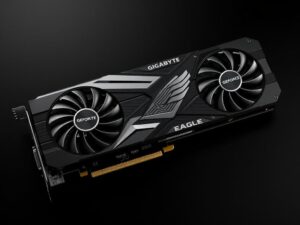
				<p>В этой статье подробно разберём, почему видеокарта gigabyte geforce rtx 3060 eagle 12g стала популярным выбором среди тех, кто собирает сбалансированную систему без фанатизма к бюджету. Рассмотрим конструкцию, технические характеристики, реальные игровые и творческие сценарии, а также нюансы установки и настройки. Я поделюсь личными наблюдениями и практическими советами, которые помогут понять, что именно предлагает эта &#8230;</p>
		<p class="more-link-box">
			<a class="more-link" href="https://insidemylaptop.ru/bez-rubriki/videokarta-gigabyte-geforce-rtx-3060-eagle-12g-rabochaya-loshadka-dlya-igr-i-tvorcheskih-zadach/" title="видеокарта gigabyte geforce rtx 3060 eagle 12g: рабочая лошадка для игр и творческих задач">Читать далее</a>
		</p>
		
	</div> 
	</article>


<article class="post-1700 post type-post status-publish format-standard has-post-thumbnail category-lenovo-notebooks anons">		<h2><a href="https://insidemylaptop.ru/lenovo-notebooks/chistka-sistemy-ohlazhdeniya-noutbuka-lenovo-s110/" title="Чистка системы охлаждения ноутбука Lenovo S110">Чистка системы охлаждения ноутбука Lenovo S110</a></h2>
		<aside class="meta"><span class="date">11.01.2024</span></aside>	<div class="entry-box clearfix" >

						<a href="https://insidemylaptop.ru/lenovo-notebooks/chistka-sistemy-ohlazhdeniya-noutbuka-lenovo-s110/" title="Чистка системы охлаждения ноутбука Lenovo S110" class="anons-thumbnail">
					<img width="300" height="225" src="https://insidemylaptop.ru/wp-content/uploads/2024/01/lenovo-s110-37-300x225.jpg" class="thumbnail wp-post-image" alt="Lenovo-S110-37" decoding="async" srcset="https://insidemylaptop.ru/wp-content/uploads/2024/01/lenovo-s110-37-300x225.jpg 300w, https://insidemylaptop.ru/wp-content/uploads/2024/01/lenovo-s110-37.jpg 693w" sizes="(max-width: 300px) 100vw, 300px" />				</a>
				<p>Сегодня мы будем чистить систему охлаждения в ноутбуке Lenovo S110. Чистка системы охлаждения и замена термопасты — залог стабильной работы и долгой службы устройства. Если не проводить эту процедуру хотя бы раз в пол года, то есть риск перегрева процессора или других внутренних компонентов ноутбука, что в свою очередь может привести к выходу из строя. &#8230;</p>
		<p class="more-link-box">
			<a class="more-link" href="https://insidemylaptop.ru/lenovo-notebooks/chistka-sistemy-ohlazhdeniya-noutbuka-lenovo-s110/" title="Чистка системы охлаждения ноутбука Lenovo S110">Читать далее</a>
		</p>
		
	</div> 
	</article>


<article class="post-1689 post type-post status-publish format-standard has-post-thumbnail category-lenovo-notebooks anons">		<h2><a href="https://insidemylaptop.ru/lenovo-notebooks/zamena-zhestkogo-diska-v-lenovo-s110/" title="Замена жесткого диска в Lenovo S110">Замена жесткого диска в Lenovo S110</a></h2>
		<aside class="meta"><span class="date">11.01.2024</span></aside>	<div class="entry-box clearfix" >

						<a href="https://insidemylaptop.ru/lenovo-notebooks/zamena-zhestkogo-diska-v-lenovo-s110/" title="Замена жесткого диска в Lenovo S110" class="anons-thumbnail">
					<img width="300" height="225" src="https://insidemylaptop.ru/wp-content/uploads/2024/01/lenovo-s110-35-300x225.jpg" class="thumbnail wp-post-image" alt="Lenovo-S110-35" decoding="async" loading="lazy" srcset="https://insidemylaptop.ru/wp-content/uploads/2024/01/lenovo-s110-35-300x225.jpg 300w, https://insidemylaptop.ru/wp-content/uploads/2024/01/lenovo-s110-35.jpg 693w" sizes="auto, (max-width: 300px) 100vw, 300px" />				</a>
				<p>К большому сожалению, данная модель имеет очень неудобную конструкцию корпуса. Доступ к любому устройству ноутбука — требует практически полной разборки устройства. В ноутбуке установлен жесткий диск формата 2,5″ и имеет интерфейс SATA: Традиционно, любые манипуляции, связанные с разборкой ноутбука, начинаются со снятия аккумулятора и отключения блока питания. Шаг 1: Отключаем блок питания и снимаем аккумулятор: &#8230;</p>
		<p class="more-link-box">
			<a class="more-link" href="https://insidemylaptop.ru/lenovo-notebooks/zamena-zhestkogo-diska-v-lenovo-s110/" title="Замена жесткого диска в Lenovo S110">Читать далее</a>
		</p>
		
	</div> 
	</article>


<article class="post-1680 post type-post status-publish format-standard has-post-thumbnail category-lenovo-notebooks anons">		<h2><a href="https://insidemylaptop.ru/lenovo-notebooks/samostoyatelnaya-zamena-matriczy-v-noutbuke-lenovo-s110/" title="Самостоятельная замена матрицы в ноутбуке Lenovo S110">Самостоятельная замена матрицы в ноутбуке Lenovo S110</a></h2>
		<aside class="meta"><span class="date">11.01.2024</span></aside>	<div class="entry-box clearfix" >

						<a href="https://insidemylaptop.ru/lenovo-notebooks/samostoyatelnaya-zamena-matriczy-v-noutbuke-lenovo-s110/" title="Самостоятельная замена матрицы в ноутбуке Lenovo S110" class="anons-thumbnail">
					<img width="300" height="225" src="https://insidemylaptop.ru/wp-content/uploads/2024/01/lenovo-s110-56-300x225.jpg" class="thumbnail wp-post-image" alt="Lenovo-S110-56" decoding="async" loading="lazy" srcset="https://insidemylaptop.ru/wp-content/uploads/2024/01/lenovo-s110-56-300x225.jpg 300w, https://insidemylaptop.ru/wp-content/uploads/2024/01/lenovo-s110-56.jpg 693w" sizes="auto, (max-width: 300px) 100vw, 300px" />				</a>
				<p>Часто, неаккуратное обращение с ноутбуком, приводит к разбитой матрице. Будь то уронили, или наступили, или раздавили в сумке. Причин может быть много и они ведут к недешевой процедуре замены матрицы. В данной модели установлена матрица «тонкого» формата, что еще больше удорожает ее стоимость. Итак, рассмотрим, как заменить матрицу в попавшем в наши руки ноутбуке Lenovo S110. &#8230;</p>
		<p class="more-link-box">
			<a class="more-link" href="https://insidemylaptop.ru/lenovo-notebooks/samostoyatelnaya-zamena-matriczy-v-noutbuke-lenovo-s110/" title="Самостоятельная замена матрицы в ноутбуке Lenovo S110">Читать далее</a>
		</p>
		
	</div> 
	</article>


<article class="post-1675 post type-post status-publish format-standard has-post-thumbnail category-noutbuki-dell anons">		<h2><a href="https://insidemylaptop.ru/noutbuki-dell/zamena-operativnoj-pamyati-v-noutbuke-dell-inspiron-n5110/" title="Замена оперативной памяти в ноутбуке Dell Inspiron N5110">Замена оперативной памяти в ноутбуке Dell Inspiron N5110</a></h2>
		<aside class="meta"><span class="date">11.01.2024</span></aside>	<div class="entry-box clearfix" >

						<a href="https://insidemylaptop.ru/noutbuki-dell/zamena-operativnoj-pamyati-v-noutbuke-dell-inspiron-n5110/" title="Замена оперативной памяти в ноутбуке Dell Inspiron N5110" class="anons-thumbnail">
					<img width="300" height="225" src="https://insidemylaptop.ru/wp-content/uploads/2024/01/dell-inspiron-n5110-01-300x225.jpg" class="thumbnail wp-post-image" alt="Dell-Inspiron-N5110-01" decoding="async" loading="lazy" srcset="https://insidemylaptop.ru/wp-content/uploads/2024/01/dell-inspiron-n5110-01-300x225.jpg 300w, https://insidemylaptop.ru/wp-content/uploads/2024/01/dell-inspiron-n5110-01.jpg 693w" sizes="auto, (max-width: 300px) 100vw, 300px" />				</a>
				<p>Прогресс не стоит на месте и не редко, казалось бы большой объем оперативной памяти при покупке, становится недостаточным. В этом случае ее объем можно расширить добавлением нового модуля RAM, либо заменой имеющихся модулей на более емкие. В ноутбуке имеется два слота расширения оперативной памяти. В данную модель можно установить платы стандарта DDR-III общим объемом не &#8230;</p>
		<p class="more-link-box">
			<a class="more-link" href="https://insidemylaptop.ru/noutbuki-dell/zamena-operativnoj-pamyati-v-noutbuke-dell-inspiron-n5110/" title="Замена оперативной памяти в ноутбуке Dell Inspiron N5110">Читать далее</a>
		</p>
		
	</div> 
	</article>


<article class="post-1671 post type-post status-publish format-standard has-post-thumbnail category-acer-notebooks anons">		<h2><a href="https://insidemylaptop.ru/acer-notebooks/zamena-zhestkogo-diska-v-noutbuke-acer-aspire-5742g/" title="Замена жесткого диска в ноутбуке Acer Aspire 5742G">Замена жесткого диска в ноутбуке Acer Aspire 5742G</a></h2>
		<aside class="meta"><span class="date">11.01.2024</span></aside>	<div class="entry-box clearfix" >

						<a href="https://insidemylaptop.ru/acer-notebooks/zamena-zhestkogo-diska-v-noutbuke-acer-aspire-5742g/" title="Замена жесткого диска в ноутбуке Acer Aspire 5742G" class="anons-thumbnail">
					<img width="300" height="225" src="https://insidemylaptop.ru/wp-content/uploads/2024/01/acer-aspire-5742g-12-300x225.jpg" class="thumbnail wp-post-image" alt="Acer-Aspire-5742G-12" decoding="async" loading="lazy" srcset="https://insidemylaptop.ru/wp-content/uploads/2024/01/acer-aspire-5742g-12-300x225.jpg 300w, https://insidemylaptop.ru/wp-content/uploads/2024/01/acer-aspire-5742g-12.jpg 693w" sizes="auto, (max-width: 300px) 100vw, 300px" />				</a>
				<p>Жесткий диск довольно часто выходит из строя. Связано это, как правило, с назначением ноутбука — быть маневренным. Диск очень не любит вибрации, удары по корпусу ноутбука, большие перепады температуры… Важно, следить и во время делать резервные копии важной информации. Все проблемы, связанные с жестким диском решаются только заменой накопителя. Рассмотрим, как заменить жесткий диск в &#8230;</p>
		<p class="more-link-box">
			<a class="more-link" href="https://insidemylaptop.ru/acer-notebooks/zamena-zhestkogo-diska-v-noutbuke-acer-aspire-5742g/" title="Замена жесткого диска в ноутбуке Acer Aspire 5742G">Читать далее</a>
		</p>
		
	</div> 
	</article>


<article class="post-1656 post type-post status-publish format-standard has-post-thumbnail category-acer-notebooks anons">		<h2><a href="https://insidemylaptop.ru/acer-notebooks/kak-pochistit-noutbuk-acer-aspire-5742g/" title="Как почистить ноутбук Acer Aspire 5742G">Как почистить ноутбук Acer Aspire 5742G</a></h2>
		<aside class="meta"><span class="date">11.01.2024</span></aside>	<div class="entry-box clearfix" >

						<a href="https://insidemylaptop.ru/acer-notebooks/kak-pochistit-noutbuk-acer-aspire-5742g/" title="Как почистить ноутбук Acer Aspire 5742G" class="anons-thumbnail">
					<img width="300" height="225" src="https://insidemylaptop.ru/wp-content/uploads/2024/01/acer-aspire-5742g-72-300x225.jpg" class="thumbnail wp-post-image" alt="Acer-Aspire-5742G-72" decoding="async" loading="lazy" srcset="https://insidemylaptop.ru/wp-content/uploads/2024/01/acer-aspire-5742g-72-300x225.jpg 300w, https://insidemylaptop.ru/wp-content/uploads/2024/01/acer-aspire-5742g-72.jpg 693w" sizes="auto, (max-width: 300px) 100vw, 300px" />				</a>
				<p>Чистка ноутбука — мероприятие, которое, как правило, рекомендуется проводить, не реже, чем раз в год. Помните, чем мощнее ноутбук — тем больше он сосет воздуха, тем критичнее реагирует на малейшие непроходимости радиатора. Работа на ноутбуке в пыльном помещении способствует быстрому засорению радиатора охлаждения. Забитый радиатор однозначно приведет к перегреву и как возможный исход — выход &#8230;</p>
		<p class="more-link-box">
			<a class="more-link" href="https://insidemylaptop.ru/acer-notebooks/kak-pochistit-noutbuk-acer-aspire-5742g/" title="Как почистить ноутбук Acer Aspire 5742G">Читать далее</a>
		</p>
		
	</div> 
	</article>


<article class="post-1651 post type-post status-publish format-standard has-post-thumbnail category-asus-notebooks anons">		<h2><a href="https://insidemylaptop.ru/asus-notebooks/zamena-operativnoj-pamyati-v-noutbuke-asus-n53j/" title="Замена оперативной памяти в ноутбуке Asus N53J">Замена оперативной памяти в ноутбуке Asus N53J</a></h2>
		<aside class="meta"><span class="date">11.01.2024</span></aside>	<div class="entry-box clearfix" >

						<a href="https://insidemylaptop.ru/asus-notebooks/zamena-operativnoj-pamyati-v-noutbuke-asus-n53j/" title="Замена оперативной памяти в ноутбуке Asus N53J" class="anons-thumbnail">
					<img width="300" height="225" src="https://insidemylaptop.ru/wp-content/uploads/2024/01/asus-n53j-04-300x225.jpg" class="thumbnail wp-post-image" alt="Asus-N53J-04" decoding="async" loading="lazy" srcset="https://insidemylaptop.ru/wp-content/uploads/2024/01/asus-n53j-04-300x225.jpg 300w, https://insidemylaptop.ru/wp-content/uploads/2024/01/asus-n53j-04.jpg 693w" sizes="auto, (max-width: 300px) 100vw, 300px" />				</a>
				<p>В материале подробно описывается замена оперативной памяти в ноутбуке Asus N53J, как и любая другая процедура, сопряженная со вскрытием устройства, замена RAM должна начинаться с отключения блока питания и снятия батареи. В ноутбуке установлена оперативная память стандарта DDRIII: Шаг 1: Отключаем блок питания и снимаем аккумулятор: Шаг 2: Отклеиваем резиновые ножки на сервисном отсеке. Под ними &#8230;</p>
		<p class="more-link-box">
			<a class="more-link" href="https://insidemylaptop.ru/asus-notebooks/zamena-operativnoj-pamyati-v-noutbuke-asus-n53j/" title="Замена оперативной памяти в ноутбуке Asus N53J">Читать далее</a>
		</p>
		
	</div> 
	</article>


<article class="post-1647 post type-post status-publish format-standard has-post-thumbnail category-noutbuki-emachines anons">		<h2><a href="https://insidemylaptop.ru/noutbuki-emachines/zamena-modulya-wi-fi-v-noutbuke-emachines-e440-1202g16mi/" title="Замена модуля Wi-Fi в ноутбуке eMachines E440-1202G16Mi">Замена модуля Wi-Fi в ноутбуке eMachines E440-1202G16Mi</a></h2>
		<aside class="meta"><span class="date">11.01.2024</span></aside>	<div class="entry-box clearfix" >

						<a href="https://insidemylaptop.ru/noutbuki-emachines/zamena-modulya-wi-fi-v-noutbuke-emachines-e440-1202g16mi/" title="Замена модуля Wi-Fi в ноутбуке eMachines E440-1202G16Mi" class="anons-thumbnail">
					<img width="300" height="225" src="https://insidemylaptop.ru/wp-content/uploads/2024/01/emachines-e440-1202g16mi_18-300x225.jpg" class="thumbnail wp-post-image" alt="Emachines-E440-1202G16Mi_18" decoding="async" loading="lazy" srcset="https://insidemylaptop.ru/wp-content/uploads/2024/01/emachines-e440-1202g16mi_18-300x225.jpg 300w, https://insidemylaptop.ru/wp-content/uploads/2024/01/emachines-e440-1202g16mi_18.jpg 693w" sizes="auto, (max-width: 300px) 100vw, 300px" />				</a>
				<p>В ноутбуке установлен укороченный вариант платы, с интерфейсом miniPC-E. На самом модуле имеются следующие обозначения: Шаг 1: Отключаем блок питания и снимаем аккумулятор: Шаг 2: На дне ноутбука находим сервисный отсек. Крышку на нем удерживает два винта. Выкручиваем их и подцепив тонкой отверткой за ушко, снимаем крышку. Шаг 3: Находим наш модуль. Его скрывает черная &#8230;</p>
		<p class="more-link-box">
			<a class="more-link" href="https://insidemylaptop.ru/noutbuki-emachines/zamena-modulya-wi-fi-v-noutbuke-emachines-e440-1202g16mi/" title="Замена модуля Wi-Fi в ноутбуке eMachines E440-1202G16Mi">Читать далее</a>
		</p>
		
	</div> 
	</article>


<article class="post-1643 post type-post status-publish format-standard has-post-thumbnail category-hp-notebooks anons">		<h2><a href="https://insidemylaptop.ru/hp-notebooks/zamena-dvd-privoda-v-noutbuke-hp-620-wt095ea/" title="Замена DVD привода в ноутбуке HP 620 WT095EA">Замена DVD привода в ноутбуке HP 620 WT095EA</a></h2>
		<aside class="meta"><span class="date">11.01.2024</span></aside>	<div class="entry-box clearfix" >

						<a href="https://insidemylaptop.ru/hp-notebooks/zamena-dvd-privoda-v-noutbuke-hp-620-wt095ea/" title="Замена DVD привода в ноутбуке HP 620 WT095EA" class="anons-thumbnail">
					<img width="300" height="225" src="https://insidemylaptop.ru/wp-content/uploads/2024/01/hp-620-wt095ea-12-300x225.jpg" class="thumbnail wp-post-image" alt="HP-620-WT095EA-12" decoding="async" loading="lazy" srcset="https://insidemylaptop.ru/wp-content/uploads/2024/01/hp-620-wt095ea-12-300x225.jpg 300w, https://insidemylaptop.ru/wp-content/uploads/2024/01/hp-620-wt095ea-12-768x576.jpg 768w, https://insidemylaptop.ru/wp-content/uploads/2024/01/hp-620-wt095ea-12.jpg 800w" sizes="auto, (max-width: 300px) 100vw, 300px" />				</a>
				<p>Разборку, как и всегда, начинаем со снятия аккумулятора и отключения БП. Шаг 1: Отключаем блок питания и снимаем батарею: Шаг 2: Откручиваем винты, удерживающие крышку сервисного отсека (4шт). Сдвигаем крышку. Шаг 3: Скручиваем винт, удерживающий наш привод DVD. Отверткой толкаем язычок. Здесь установлен стандартный SATA привод DVD. Меняем привод на новый и собираем в обратном &#8230;</p>
		<p class="more-link-box">
			<a class="more-link" href="https://insidemylaptop.ru/hp-notebooks/zamena-dvd-privoda-v-noutbuke-hp-620-wt095ea/" title="Замена DVD привода в ноутбуке HP 620 WT095EA">Читать далее</a>
		</p>
		
	</div> 
	</article>


	<nav class="navigation pagination" aria-label="Пагинация записей">
		<h2 class="screen-reader-text">Пагинация записей</h2>
		<div class="nav-links"><span aria-current="page" class="page-numbers current">1</span>
<a class="page-numbers" href="https://insidemylaptop.ru/page/2/">2</a>
<a class="page-numbers" href="https://insidemylaptop.ru/page/3/">3</a>
<span class="page-numbers dots">&hellip;</span>
<a class="page-numbers" href="https://insidemylaptop.ru/page/20/">20</a>
<a class="next page-numbers" href="https://insidemylaptop.ru/page/2/">Вперед &raquo;</a></div>
	</nav>
		</main> 
	<!-- END #content -->
	

<!-- BEGIN #sidebar -->
<aside id="sidebar" class="">
	<ul id="widgetlist">

    <li id="block-2" class="widget widget_block widget_search"><form role="search" method="get" action="https://insidemylaptop.ru/" class="wp-block-search__button-outside wp-block-search__text-button wp-block-search"    ><label class="wp-block-search__label" for="wp-block-search__input-1" >Поиск</label><div class="wp-block-search__inside-wrapper" ><input class="wp-block-search__input" id="wp-block-search__input-1" placeholder="" value="Поиск..." type="search" name="s" required /><button aria-label="Поиск" class="wp-block-search__button wp-element-button" type="submit" >Поиск</button></div></form></li><li id="wxfooterlink_widget-2" class="widget widget_wxfooterlink_widget"><div class="wxFooterLinkDva widg"><h2>Опыт внедрения принтеров TSC TE200 и TE210 в складской логистике</h2>
На складе интернет-магазина стояла задача ускорить процесс маркировки товаров и сократить количество ошибок при отгрузке. Ранее использовавшееся оборудование не справлялось с нагрузкой, что приводило к задержкам и сбоям в работе. В качестве решения был выбран <span style="color: #993366;"><a style="color: #993366;" href="https://scanberry.ru/catalog/printer-etiketok-tsc-te200/">термотрансферный принтер TSC TE200</a></span>, который обеспечил стабильную печать штрих-кодов и этикеток для повседневных задач.

После увеличения объема заказов возникла необходимость в более производительном оборудовании. Для работы с большими партиями этикеток и сложными макетами был дополнительно внедрен <span style="color: #993366;"><a style="color: #993366;" href="https://scanberry.ru/catalog/printer-etiketok-tsc-te210/">термотрансферный принтер TSC TE210</a></span>, обладающий увеличенным объемом памяти и более стабильной работой при высокой нагрузке.

В результате компания смогла ускорить обработку заказов, снизить количество ошибок при маркировке и повысить общую эффективность складской логистики. Использование принтеров серии TSC TE200 и TE210 позволило выстроить надежный и масштабируемый процесс печати этикеток для розничной торговли и e-commerce.</div> </li><li id="block-3" class="widget widget_block">
<div class="wp-block-group"><div class="wp-block-group__inner-container is-layout-flow wp-block-group-is-layout-flow">
<h2 class="wp-block-heading">Популярные записи</h2>


<ul class="wp-block-latest-posts__list wp-block-latest-posts"><li><div class="wp-block-latest-posts__featured-image"><img loading="lazy" decoding="async" width="225" height="300" src="https://insidemylaptop.ru/wp-content/uploads/2022/10/asus-m51t-2-225x300.jpg" class="attachment-medium size-medium wp-post-image" alt="Как разобрать ноутбук Asus M51T" style="" srcset="https://insidemylaptop.ru/wp-content/uploads/2022/10/asus-m51t-2-225x300.jpg 225w, https://insidemylaptop.ru/wp-content/uploads/2022/10/asus-m51t-2.jpg 390w" sizes="auto, (max-width: 225px) 100vw, 225px" /></div><a class="wp-block-latest-posts__post-title" href="https://insidemylaptop.ru/asus-notebooks/kak-razobrat-noutbuk-asus-m51t/">Как разобрать ноутбук Asus M51T</a></li>
<li><div class="wp-block-latest-posts__featured-image"><img loading="lazy" decoding="async" width="300" height="225" src="https://insidemylaptop.ru/wp-content/uploads/2022/10/asus-k53e-5-300x225.jpg" class="attachment-medium size-medium wp-post-image" alt="Замена клавиатуры в ноутбуке Asus K53E своими руками" style="" srcset="https://insidemylaptop.ru/wp-content/uploads/2022/10/asus-k53e-5-300x225.jpg 300w, https://insidemylaptop.ru/wp-content/uploads/2022/10/asus-k53e-5.jpg 640w" sizes="auto, (max-width: 300px) 100vw, 300px" /></div><a class="wp-block-latest-posts__post-title" href="https://insidemylaptop.ru/asus-notebooks/zamena-klaviatury-v-noutbuke-asus-k53e/">Замена клавиатуры в ноутбуке Asus K53E своими руками</a></li>
<li><div class="wp-block-latest-posts__featured-image"><img loading="lazy" decoding="async" width="300" height="225" src="https://insidemylaptop.ru/wp-content/uploads/2022/10/asus-k53e-7-300x225.jpg" class="attachment-medium size-medium wp-post-image" alt="Выкручиваем обозначенный винт" style="" srcset="https://insidemylaptop.ru/wp-content/uploads/2022/10/asus-k53e-7-300x225.jpg 300w, https://insidemylaptop.ru/wp-content/uploads/2022/10/asus-k53e-7.jpg 640w" sizes="auto, (max-width: 300px) 100vw, 300px" /></div><a class="wp-block-latest-posts__post-title" href="https://insidemylaptop.ru/asus-notebooks/kak-zamenit-privod-dvd-v-noutbuke-asus-k53e/">Замена DVD привода в ноутбуке Asus K53E</a></li>
<li><div class="wp-block-latest-posts__featured-image"><img loading="lazy" decoding="async" width="300" height="225" src="https://insidemylaptop.ru/wp-content/uploads/2022/10/asus-k53e-1hdd-300x225.jpg" class="attachment-medium size-medium wp-post-image" alt="Как разобрать ноутбук Asus K53E" style="" srcset="https://insidemylaptop.ru/wp-content/uploads/2022/10/asus-k53e-1hdd-300x225.jpg 300w, https://insidemylaptop.ru/wp-content/uploads/2022/10/asus-k53e-1hdd.jpg 640w" sizes="auto, (max-width: 300px) 100vw, 300px" /></div><a class="wp-block-latest-posts__post-title" href="https://insidemylaptop.ru/asus-notebooks/kak-razobrat-noutbuk-asus-k53e/">Как разобрать ноутбук Asus K53E</a></li>
<li><div class="wp-block-latest-posts__featured-image"><img loading="lazy" decoding="async" width="300" height="225" src="https://insidemylaptop.ru/wp-content/uploads/2022/10/asus-k53e-12-300x225.jpg" class="attachment-medium size-medium wp-post-image" alt="Ремонт разъема питания в ноутбуке Asus K53E" style="" srcset="https://insidemylaptop.ru/wp-content/uploads/2022/10/asus-k53e-12-300x225.jpg 300w, https://insidemylaptop.ru/wp-content/uploads/2022/10/asus-k53e-12.jpg 640w" sizes="auto, (max-width: 300px) 100vw, 300px" /></div><a class="wp-block-latest-posts__post-title" href="https://insidemylaptop.ru/asus-notebooks/remont-razema-pitaniya-v-noutbuke-asus-k53e/">Ремонт разъема питания в ноутбуке Asus K53E</a></li>
</ul></div></div>
</li><li id="block-10" class="widget widget_block widget_categories"><ul class="wp-block-categories-list wp-block-categories-taxonomy-category wp-block-categories">	<li class="cat-item cat-item-12"><a href="https://insidemylaptop.ru/other/">Другие</a>
</li>
	<li class="cat-item cat-item-6"><a href="https://insidemylaptop.ru/acer-notebooks/">Ноутбуки Acer</a>
</li>
	<li class="cat-item cat-item-5"><a href="https://insidemylaptop.ru/asus-notebooks/">Ноутбуки Asus</a>
</li>
	<li class="cat-item cat-item-3"><a href="https://insidemylaptop.ru/noutbuki-dell/">Ноутбуки Dell</a>
</li>
	<li class="cat-item cat-item-9"><a href="https://insidemylaptop.ru/noutbuki-emachines/">Ноутбуки Emachines</a>
</li>
	<li class="cat-item cat-item-10"><a href="https://insidemylaptop.ru/hp-notebooks/">Ноутбуки HP</a>
</li>
	<li class="cat-item cat-item-2"><a href="https://insidemylaptop.ru/lenovo-notebooks/">Ноутбуки Lenovo</a>
</li>
	<li class="cat-item cat-item-4"><a href="https://insidemylaptop.ru/samsung-notebooks/">Ноутбуки Samsung</a>
</li>
	<li class="cat-item cat-item-7"><a href="https://insidemylaptop.ru/toshiba-notebooks/">Ноутбуки Toshiba</a>
</li>
	<li class="cat-item cat-item-13"><a href="https://insidemylaptop.ru/printery/">Принтеры</a>
</li>
	<li class="cat-item cat-item-1"><a href="https://insidemylaptop.ru/bez-rubriki/">Разное</a>
</li>
	<li class="cat-item cat-item-11"><a href="https://insidemylaptop.ru/printers/">Ремонт принтеров</a>
</li>
</ul></li><li id="block-8" class="widget widget_block widget_search"><form role="search" method="get" action="https://insidemylaptop.ru/" class="wp-block-search__button-outside wp-block-search__text-button wp-block-search"    ><label class="wp-block-search__label" for="wp-block-search__input-2" >Поиск</label><div class="wp-block-search__inside-wrapper" ><input class="wp-block-search__input" id="wp-block-search__input-2" placeholder="" value="Поиск..." type="search" name="s" required /><button aria-label="Поиск" class="wp-block-search__button wp-element-button" type="submit" >Поиск</button></div></form></li>
	</ul>
</aside>
<!-- END #sidebar -->

</div>
<!-- #main -->


<footer id="footer" class="">


	    	<div class="copyrights maxwidth grid">
		<div class="copytext col6">
			<p id="copy">
				<!--noindex--><a href="https://insidemylaptop.ru/" rel="nofollow"></a><!--/noindex--> &copy; 2026				<br/>
				<span class="copyright-text"></span>
							</p>
		</div>

		<div class="themeby col6 tr">
						<div class="footer-counter"><!-- Yandex.Metrika counter -->
<script type="text/javascript" >
   (function(m,e,t,r,i,k,a){m[i]=m[i]||function(){(m[i].a=m[i].a||[]).push(arguments)};
   m[i].l=1*new Date();
   for (var j = 0; j < document.scripts.length; j++) {if (document.scripts[j].src === r) { return; }}
   k=e.createElement(t),a=e.getElementsByTagName(t)[0],k.async=1,k.src=r,a.parentNode.insertBefore(k,a)})
   (window, document, "script", "https://cdn.jsdelivr.net/npm/yandex-metrica-watch/tag.js", "ym");

   ym(90829117, "init", {
        clickmap:true,
        trackLinks:true,
        accurateTrackBounce:true
   });
</script>
<noscript><div><img src="https://mc.yandex.ru/watch/90829117" style="position:absolute; left:-9999px;" alt="" /></div></noscript>
<!-- /Yandex.Metrika counter --></div>
		</div>
	</div>
    	
</footer>


</div> 
<!-- .wrapper -->

<a id="toTop">&#10148;</a>

<script>
<!--
var _acic={dataProvider:10};(function(){var e=document.createElement("script");e.async=true;e.src="https://www.acint.net/aci.js";var t=document.getElementsByTagName("script")[0];t.parentNode.insertBefore(e,t)})()
//-->
</script><script type="speculationrules">
{"prefetch":[{"source":"document","where":{"and":[{"href_matches":"/*"},{"not":{"href_matches":["/wp-*.php","/wp-admin/*","/wp-content/uploads/*","/wp-content/*","/wp-content/plugins/*","/wp-content/themes/basic/*","/*\\?(.+)"]}},{"not":{"selector_matches":"a[rel~=\"nofollow\"]"}},{"not":{"selector_matches":".no-prefetch, .no-prefetch a"}}]},"eagerness":"conservative"}]}
</script>
<script>fetch('https://insidemylaptop.ru/wp-admin/admin-ajax.php?action=assistcron&nonce=2551fdd1cb')</script><script>document.addEventListener("copy", (event) => {var pagelink = "\nИсточник: https://insidemylaptop.ru";event.clipboardData.setData("text", document.getSelection() + pagelink);event.preventDefault();});</script><script>fetch('https://insidemylaptop.ru/wp-admin/admin-ajax.php?action=neyroCommentsCron&nonce=2551fdd1cb')</script><script id="toc-front-js-extra">
var tocplus = {"visibility_show":"\u041f\u043e\u043a\u0430\u0437\u0430\u0442\u044c","visibility_hide":"\u0421\u043a\u0440\u044b\u0442\u044c","visibility_hide_by_default":"1","width":"Auto"};
//# sourceURL=toc-front-js-extra
</script>
<script id="toc-front-js" src="https://insidemylaptop.ru/wp-content/plugins/table-of-contents-plus/front.min.js?ver=2411.1"></script>
<script id="basic-scripts-js" src="https://insidemylaptop.ru/wp-content/themes/basic/js/functions.js?ver=1"></script>
<script id="wp-emoji-settings" type="application/json">
{"baseUrl":"https://s.w.org/images/core/emoji/17.0.2/72x72/","ext":".png","svgUrl":"https://s.w.org/images/core/emoji/17.0.2/svg/","svgExt":".svg","source":{"concatemoji":"https://insidemylaptop.ru/wp-includes/js/wp-emoji-release.min.js?ver=7.0"}}
</script>
<script type="module">
/*! This file is auto-generated */
const a=JSON.parse(document.getElementById("wp-emoji-settings").textContent),o=(window._wpemojiSettings=a,"wpEmojiSettingsSupports"),s=["flag","emoji"];function i(e){try{var t={supportTests:e,timestamp:(new Date).valueOf()};sessionStorage.setItem(o,JSON.stringify(t))}catch(e){}}function c(e,t,n){e.clearRect(0,0,e.canvas.width,e.canvas.height),e.fillText(t,0,0);t=new Uint32Array(e.getImageData(0,0,e.canvas.width,e.canvas.height).data);e.clearRect(0,0,e.canvas.width,e.canvas.height),e.fillText(n,0,0);const a=new Uint32Array(e.getImageData(0,0,e.canvas.width,e.canvas.height).data);return t.every((e,t)=>e===a[t])}function p(e,t){e.clearRect(0,0,e.canvas.width,e.canvas.height),e.fillText(t,0,0);var n=e.getImageData(16,16,1,1);for(let e=0;e<n.data.length;e++)if(0!==n.data[e])return!1;return!0}function u(e,t,n,a){switch(t){case"flag":return n(e,"\ud83c\udff3\ufe0f\u200d\u26a7\ufe0f","\ud83c\udff3\ufe0f\u200b\u26a7\ufe0f")?!1:!n(e,"\ud83c\udde8\ud83c\uddf6","\ud83c\udde8\u200b\ud83c\uddf6")&&!n(e,"\ud83c\udff4\udb40\udc67\udb40\udc62\udb40\udc65\udb40\udc6e\udb40\udc67\udb40\udc7f","\ud83c\udff4\u200b\udb40\udc67\u200b\udb40\udc62\u200b\udb40\udc65\u200b\udb40\udc6e\u200b\udb40\udc67\u200b\udb40\udc7f");case"emoji":return!a(e,"\ud83e\u1fac8")}return!1}function f(e,t,n,a){let r;const o=(r="undefined"!=typeof WorkerGlobalScope&&self instanceof WorkerGlobalScope?new OffscreenCanvas(300,150):document.createElement("canvas")).getContext("2d",{willReadFrequently:!0}),s=(o.textBaseline="top",o.font="600 32px Arial",{});return e.forEach(e=>{s[e]=t(o,e,n,a)}),s}function r(e){var t=document.createElement("script");t.src=e,t.defer=!0,document.head.appendChild(t)}a.supports={everything:!0,everythingExceptFlag:!0},new Promise(t=>{let n=function(){try{var e=JSON.parse(sessionStorage.getItem(o));if("object"==typeof e&&"number"==typeof e.timestamp&&(new Date).valueOf()<e.timestamp+604800&&"object"==typeof e.supportTests)return e.supportTests}catch(e){}return null}();if(!n){if("undefined"!=typeof Worker&&"undefined"!=typeof OffscreenCanvas&&"undefined"!=typeof URL&&URL.createObjectURL&&"undefined"!=typeof Blob)try{var e="postMessage("+f.toString()+"("+[JSON.stringify(s),u.toString(),c.toString(),p.toString()].join(",")+"));",a=new Blob([e],{type:"text/javascript"});const r=new Worker(URL.createObjectURL(a),{name:"wpTestEmojiSupports"});return void(r.onmessage=e=>{i(n=e.data),r.terminate(),t(n)})}catch(e){}i(n=f(s,u,c,p))}t(n)}).then(e=>{for(const n in e)a.supports[n]=e[n],a.supports.everything=a.supports.everything&&a.supports[n],"flag"!==n&&(a.supports.everythingExceptFlag=a.supports.everythingExceptFlag&&a.supports[n]);var t;a.supports.everythingExceptFlag=a.supports.everythingExceptFlag&&!a.supports.flag,a.supports.everything||((t=a.source||{}).concatemoji?r(t.concatemoji):t.wpemoji&&t.twemoji&&(r(t.twemoji),r(t.wpemoji)))});
//# sourceURL=https://insidemylaptop.ru/wp-includes/js/wp-emoji-loader.min.js
</script>
<div class="wxFooterLinkOdin" style="z-index: 99999;  position: relative;"></div> <script>!function(){var t=!1;try{var e=Object.defineProperty({},"passive",{get:function(){t=!0}});window.addEventListener("test",null,e)}catch(t){}return t}()||function(i){var o=!0,s=!1;EventTarget.prototype.addEventListener=function(t,e,n){var r="object"==typeof n,a=r?n.capture:n;n=r?n:{},"touchstart"!=t&&"scroll"!=t&&"wheel"!=t||(n.passive=void 0!==n.passive?n.passive:o),n.capture=void 0!==a?a:s,i.call(this,t,e,n)}}(EventTarget.prototype.addEventListener);</script>
</body>
</html>