<?xml version="1.0" encoding="UTF-8"?>

<?xml-stylesheet type="text/xsl" media="screen" href="/~d/styles/atom10full.xsl"?><?xml-stylesheet type="text/css" media="screen" href="http://feeds.feedburner.com/~d/styles/itemcontent.css"?><feed xmlns="http://www.w3.org/2005/Atom" xmlns:thr="http://purl.org/syndication/thread/1.0" xmlns:feedburner="http://rssnamespace.org/feedburner/ext/1.0" xml:lang="en-US" xml:base="http://www.obsidiandawn.com/wp-atom.php">
	<title type="text">Obsidian Dawn</title>
	<subtitle type="text">Digital Design Resources ( Photoshop &amp; GIMP Brushes, Illustrator Vectors, and more! )</subtitle>

	<updated>2013-05-26T21:29:10Z</updated>

	<link rel="alternate" type="text/html" href="http://www.obsidiandawn.com" />
	<id>http://www.obsidiandawn.com/feed/atom</id>


		<feedburner:info uri="stephaniesblogofdesign" /><atom10:link xmlns:atom10="http://www.w3.org/2005/Atom" rel="hub" href="http://pubsubhubbub.appspot.com/" /><atom10:link xmlns:atom10="http://www.w3.org/2005/Atom" rel="self" type="application/atom+xml" href="http://obsidiandawn.com/feed/atom/" /><feedburner:emailServiceId>StephaniesBlogOfDesign</feedburner:emailServiceId><feedburner:feedburnerHostname>http://feedburner.google.com</feedburner:feedburnerHostname><feedburner:feedFlare href="http://add.my.yahoo.com/rss?url=http%3A%2F%2Fobsidiandawn.com%2Ffeed%2Fatom%2F" src="http://us.i1.yimg.com/us.yimg.com/i/us/my/addtomyyahoo4.gif">Subscribe with My Yahoo!</feedburner:feedFlare><feedburner:feedFlare href="http://www.newsgator.com/ngs/subscriber/subext.aspx?url=http%3A%2F%2Fobsidiandawn.com%2Ffeed%2Fatom%2F" src="http://www.newsgator.com/images/ngsub1.gif">Subscribe with NewsGator</feedburner:feedFlare><feedburner:feedFlare href="http://feeds.my.aol.com/add.jsp?url=http%3A%2F%2Fobsidiandawn.com%2Ffeed%2Fatom%2F" src="http://o.aolcdn.com/favorites.my.aol.com/webmaster/ffclient/webroot/locale/en-US/images/myAOLButtonSmall.gif">Subscribe with My AOL</feedburner:feedFlare><feedburner:feedFlare href="http://www.bloglines.com/sub/http://obsidiandawn.com/feed/atom/" src="http://www.bloglines.com/images/sub_modern11.gif">Subscribe with Bloglines</feedburner:feedFlare><feedburner:feedFlare href="http://www.netvibes.com/subscribe.php?url=http%3A%2F%2Fobsidiandawn.com%2Ffeed%2Fatom%2F" src="http://www.netvibes.com/img/add2netvibes.gif">Subscribe with Netvibes</feedburner:feedFlare><feedburner:feedFlare href="http://fusion.google.com/add?feedurl=http%3A%2F%2Fobsidiandawn.com%2Ffeed%2Fatom%2F" src="http://buttons.googlesyndication.com/fusion/add.gif">Subscribe with Google</feedburner:feedFlare><feedburner:feedFlare href="http://www.pageflakes.com/subscribe.aspx?url=http%3A%2F%2Fobsidiandawn.com%2Ffeed%2Fatom%2F" src="http://www.pageflakes.com/ImageFile.ashx?instanceId=Static_4&amp;fileName=ATP_blu_91x17.gif">Subscribe with Pageflakes</feedburner:feedFlare><entry>
		<author>
			<name>Stephanie</name>
						<uri>http://www.obsidiandawn.com</uri>
					</author>
		<title type="html"><![CDATA[Mist Photoshop &amp; GIMP Brushes]]></title>
		<link rel="alternate" type="text/html" href="http://feedproxy.google.com/~r/StephaniesBlogOfDesign/~3/wfGr6MP5YQ4/mist-photoshop-gimp-brushes" />
		<id>http://www.obsidiandawn.com/?p=3236</id>
		<updated>2013-04-15T22:37:48Z</updated>
		<published>2013-04-15T22:37:48Z</published>
		<category scheme="http://www.obsidiandawn.com" term="Brushes" /><category scheme="http://www.obsidiandawn.com" term="Fantasy" /><category scheme="http://www.obsidiandawn.com" term="GIMP" /><category scheme="http://www.obsidiandawn.com" term="Nature" /><category scheme="http://www.obsidiandawn.com" term="Photoshop" />		<summary type="html"><![CDATA[<img src="http://www.obsidiandawn.com/wp-content/images/thumbnails/mist-brushes.jpg" alt="Mist Brushes" />]]></summary>
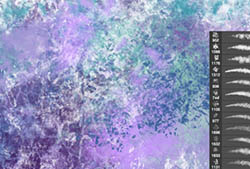
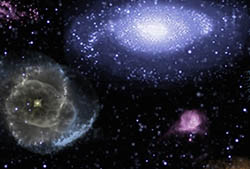
		<content type="html" xml:base="http://www.obsidiandawn.com/mist-photoshop-gimp-brushes">&lt;p&gt;This set of Photoshop &amp;amp; GIMP brushes is made up of various types of mist.  Ground mist, rising mist, some dense mist, fog, wispy mist, swirling mist, etc.&lt;/p&gt;
&lt;p&gt;These are all high resolution images, with the average brush size being about 2300 pixels.&lt;/p&gt;
&lt;p&gt;Please take note, I&amp;#8217;ve started making my brushes for Photoshop CS and above now. I&amp;#8217;m just no longer able to continue making them for 7 and up, since getting a program as old as Photoshop 7 to run on my Mac is very difficult without a LOT of extra steps.&lt;/p&gt;
&lt;p&gt;(...)&lt;br/&gt;Read the rest of &lt;a href="http://www.obsidiandawn.com/mist-photoshop-gimp-brushes"&gt;Mist Photoshop &amp;#038; GIMP Brushes&lt;/a&gt; (26 words)&lt;/p&gt;
&lt;hr /&gt;
&lt;p&gt;&lt;small&gt;© Stephanie for &lt;a href="http://www.obsidiandawn.com"&gt;Obsidian Dawn&lt;/a&gt;, 2013. |
&lt;a href="http://www.obsidiandawn.com/mist-photoshop-gimp-brushes"&gt;Permalink&lt;/a&gt; |
&lt;a href="http://www.obsidiandawn.com/mist-photoshop-gimp-brushes#comments"&gt;5 comments&lt;/a&gt; |
Add to
&lt;a href="http://del.icio.us/post?url=http://www.obsidiandawn.com/mist-photoshop-gimp-brushes&amp;title=Mist Photoshop &amp;#038; GIMP Brushes"&gt;del.icio.us&lt;/a&gt;
&lt;br/&gt;
Post tags: &lt;a href="http://www.obsidiandawn.com/tag/brushes" rel="tag"&gt;Brushes&lt;/a&gt;, &lt;a href="http://www.obsidiandawn.com/tag/fantasy" rel="tag"&gt;Fantasy&lt;/a&gt;, &lt;a href="http://www.obsidiandawn.com/tag/gimp" rel="tag"&gt;GIMP&lt;/a&gt;, &lt;a href="http://www.obsidiandawn.com/tag/nature" rel="tag"&gt;Nature&lt;/a&gt;, &lt;a href="http://www.obsidiandawn.com/tag/photoshop" rel="tag"&gt;Photoshop&lt;/a&gt;&lt;br/&gt;
&lt;/small&gt;&lt;/p&gt;&lt;div class="feedflare"&gt;
&lt;a href="http://feeds.feedburner.com/~ff/StephaniesBlogOfDesign?a=wfGr6MP5YQ4:vZF_h9BxiFw:V_sGLiPBpWU"&gt;&lt;img src="http://feeds.feedburner.com/~ff/StephaniesBlogOfDesign?i=wfGr6MP5YQ4:vZF_h9BxiFw:V_sGLiPBpWU" border="0"&gt;&lt;/img&gt;&lt;/a&gt; &lt;a href="http://feeds.feedburner.com/~ff/StephaniesBlogOfDesign?a=wfGr6MP5YQ4:vZF_h9BxiFw:cGdyc7Q-1BI"&gt;&lt;img src="http://feeds.feedburner.com/~ff/StephaniesBlogOfDesign?d=cGdyc7Q-1BI" border="0"&gt;&lt;/img&gt;&lt;/a&gt; &lt;a href="http://feeds.feedburner.com/~ff/StephaniesBlogOfDesign?a=wfGr6MP5YQ4:vZF_h9BxiFw:gIN9vFwOqvQ"&gt;&lt;img src="http://feeds.feedburner.com/~ff/StephaniesBlogOfDesign?i=wfGr6MP5YQ4:vZF_h9BxiFw:gIN9vFwOqvQ" border="0"&gt;&lt;/img&gt;&lt;/a&gt; &lt;a href="http://feeds.feedburner.com/~ff/StephaniesBlogOfDesign?a=wfGr6MP5YQ4:vZF_h9BxiFw:wF9xT3WuBAs"&gt;&lt;img src="http://feeds.feedburner.com/~ff/StephaniesBlogOfDesign?i=wfGr6MP5YQ4:vZF_h9BxiFw:wF9xT3WuBAs" border="0"&gt;&lt;/img&gt;&lt;/a&gt; &lt;a href="http://feeds.feedburner.com/~ff/StephaniesBlogOfDesign?a=wfGr6MP5YQ4:vZF_h9BxiFw:7Q72WNTAKBA"&gt;&lt;img src="http://feeds.feedburner.com/~ff/StephaniesBlogOfDesign?d=7Q72WNTAKBA" border="0"&gt;&lt;/img&gt;&lt;/a&gt;
&lt;/div&gt;</content>
		<link rel="replies" type="text/html" href="http://www.obsidiandawn.com/mist-photoshop-gimp-brushes#comments" thr:count="5" />
		<link rel="replies" type="application/atom+xml" href="http://www.obsidiandawn.com/mist-photoshop-gimp-brushes/feed/atom" thr:count="5" />
		<thr:total>5</thr:total>
	<feedburner:origLink>http://www.obsidiandawn.com/mist-photoshop-gimp-brushes</feedburner:origLink></entry>
		<entry>
		<author>
			<name>Stephanie</name>
						<uri>http://www.obsidiandawn.com</uri>
					</author>
		<title type="html"><![CDATA[Paisley Sketches Photoshop &amp; GIMP Brushes]]></title>
		<link rel="alternate" type="text/html" href="http://feedproxy.google.com/~r/StephaniesBlogOfDesign/~3/sRJnMHxcbP8/paisley-sketches-photoshop-gimp-brushes" />
		<id>http://www.obsidiandawn.com/?p=3201</id>
		<updated>2011-08-05T20:00:26Z</updated>
		<published>2011-08-04T15:56:23Z</published>
		<category scheme="http://www.obsidiandawn.com" term="Brushes" /><category scheme="http://www.obsidiandawn.com" term="Designs" /><category scheme="http://www.obsidiandawn.com" term="GIMP" /><category scheme="http://www.obsidiandawn.com" term="Photoshop" /><category scheme="http://www.obsidiandawn.com" term="Sketches" />		<summary type="html"><![CDATA[<img src="http://www.obsidiandawn.com/wp-content/images/thumbnails/paisley-sketches-brushes.jpg" alt="Paisley Sketches Brushes" />]]></summary>
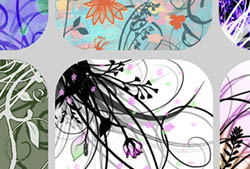
		<content type="html" xml:base="http://www.obsidiandawn.com/paisley-sketches-photoshop-gimp-brushes">&lt;p&gt;This set of Photoshop &amp;amp; GIMP brushes is made up of various paisley elements.  It has various paisley shapes, as well as some of the little ornaments that you&amp;#8217;ll frequently find accompanying a paisley pattern.  They are all hand-sketched.&lt;/p&gt;
&lt;p&gt;They look pretty in just one color, but if you really want to get the most out of them, try using the paisley brushes on a new layer and painting different colors on a layer beneath it.  Be on the lookout for a tutorial on some shortcuts to create this multi-colored effect with these brushes soon!  &lt;a href="http://www.obsidiandawn.com/subscribe-to-the-obsidian-dawn-newsletter" title="Subscribe to the Obsidian Dawn Newsletter"&gt;Subscribe to the Obsidian Dawn newsletter&lt;/a&gt; or subscribe/follow us on any of the various sites listed at the bottom of the page so you don&amp;#8217;t miss out.&lt;/p&gt;
&lt;p&gt;These are all high resolution images, with the average brush size being about 1900 pixels.&lt;/p&gt;
&lt;p&gt;I have a similar &lt;a href="http://www.obsidiandawn.com/paisley-photoshop-gimp-brushes" title="Paisley Photoshop &amp;#038; GIMP Brushes"&gt;Paisley Photoshop &amp;#038; GIMP Brushes&lt;/a&gt; set, but the designs on this set are MUCH larger.&lt;/p&gt;
&lt;p&gt;(...)&lt;br/&gt;Read the rest of &lt;a href="http://www.obsidiandawn.com/paisley-sketches-photoshop-gimp-brushes"&gt;Paisley Sketches Photoshop &amp;#038; GIMP Brushes&lt;/a&gt; (26 words)&lt;/p&gt;
&lt;hr /&gt;
&lt;p&gt;&lt;small&gt;© Stephanie for &lt;a href="http://www.obsidiandawn.com"&gt;Obsidian Dawn&lt;/a&gt;, 2011. |
&lt;a href="http://www.obsidiandawn.com/paisley-sketches-photoshop-gimp-brushes"&gt;Permalink&lt;/a&gt; |
&lt;a href="http://www.obsidiandawn.com/paisley-sketches-photoshop-gimp-brushes#comments"&gt;15 comments&lt;/a&gt; |
Add to
&lt;a href="http://del.icio.us/post?url=http://www.obsidiandawn.com/paisley-sketches-photoshop-gimp-brushes&amp;title=Paisley Sketches Photoshop &amp;#038; GIMP Brushes"&gt;del.icio.us&lt;/a&gt;
&lt;br/&gt;
Post tags: &lt;a href="http://www.obsidiandawn.com/tag/brushes" rel="tag"&gt;Brushes&lt;/a&gt;, &lt;a href="http://www.obsidiandawn.com/tag/designs" rel="tag"&gt;Designs&lt;/a&gt;, &lt;a href="http://www.obsidiandawn.com/tag/gimp" rel="tag"&gt;GIMP&lt;/a&gt;, &lt;a href="http://www.obsidiandawn.com/tag/photoshop" rel="tag"&gt;Photoshop&lt;/a&gt;, &lt;a href="http://www.obsidiandawn.com/tag/sketches" rel="tag"&gt;Sketches&lt;/a&gt;&lt;br/&gt;
&lt;/small&gt;&lt;/p&gt;&lt;div class="feedflare"&gt;
&lt;a href="http://feeds.feedburner.com/~ff/StephaniesBlogOfDesign?a=sRJnMHxcbP8:qXZIc0XcQao:V_sGLiPBpWU"&gt;&lt;img src="http://feeds.feedburner.com/~ff/StephaniesBlogOfDesign?i=sRJnMHxcbP8:qXZIc0XcQao:V_sGLiPBpWU" border="0"&gt;&lt;/img&gt;&lt;/a&gt; &lt;a href="http://feeds.feedburner.com/~ff/StephaniesBlogOfDesign?a=sRJnMHxcbP8:qXZIc0XcQao:cGdyc7Q-1BI"&gt;&lt;img src="http://feeds.feedburner.com/~ff/StephaniesBlogOfDesign?d=cGdyc7Q-1BI" border="0"&gt;&lt;/img&gt;&lt;/a&gt; &lt;a href="http://feeds.feedburner.com/~ff/StephaniesBlogOfDesign?a=sRJnMHxcbP8:qXZIc0XcQao:gIN9vFwOqvQ"&gt;&lt;img src="http://feeds.feedburner.com/~ff/StephaniesBlogOfDesign?i=sRJnMHxcbP8:qXZIc0XcQao:gIN9vFwOqvQ" border="0"&gt;&lt;/img&gt;&lt;/a&gt; &lt;a href="http://feeds.feedburner.com/~ff/StephaniesBlogOfDesign?a=sRJnMHxcbP8:qXZIc0XcQao:wF9xT3WuBAs"&gt;&lt;img src="http://feeds.feedburner.com/~ff/StephaniesBlogOfDesign?i=sRJnMHxcbP8:qXZIc0XcQao:wF9xT3WuBAs" border="0"&gt;&lt;/img&gt;&lt;/a&gt; &lt;a href="http://feeds.feedburner.com/~ff/StephaniesBlogOfDesign?a=sRJnMHxcbP8:qXZIc0XcQao:7Q72WNTAKBA"&gt;&lt;img src="http://feeds.feedburner.com/~ff/StephaniesBlogOfDesign?d=7Q72WNTAKBA" border="0"&gt;&lt;/img&gt;&lt;/a&gt;
&lt;/div&gt;</content>
		<link rel="replies" type="text/html" href="http://www.obsidiandawn.com/paisley-sketches-photoshop-gimp-brushes#comments" thr:count="15" />
		<link rel="replies" type="application/atom+xml" href="http://www.obsidiandawn.com/paisley-sketches-photoshop-gimp-brushes/feed/atom" thr:count="15" />
		<thr:total>15</thr:total>
	<feedburner:origLink>http://www.obsidiandawn.com/paisley-sketches-photoshop-gimp-brushes</feedburner:origLink></entry>
		<entry>
		<author>
			<name>Stephanie</name>
						<uri>http://www.obsidiandawn.com</uri>
					</author>
		<title type="html"><![CDATA[Realistic Eyelashes and Eyeshadow in Photoshop Tutorial]]></title>
		<link rel="alternate" type="text/html" href="http://feedproxy.google.com/~r/StephaniesBlogOfDesign/~3/AsHPgDIqz6g/realistic-eyelashes-and-eyeshadow-in-photoshop-tutorial" />
		<id>http://www.obsidiandawn.com/?p=3133</id>
		<updated>2011-07-29T16:36:12Z</updated>
		<published>2011-07-29T16:30:28Z</published>
		<category scheme="http://www.obsidiandawn.com" term="Tutorials" /><category scheme="http://www.obsidiandawn.com" term="People" /><category scheme="http://www.obsidiandawn.com" term="Photoshop" />		<summary type="html"><![CDATA[<img src="http://www.obsidiandawn.com/wp-content/images/thumbnails/eyelashes-shadow-tutorial.jpg" alt="Eyelashes and Eyeshadow Tutorial" border="0" />]]></summary>
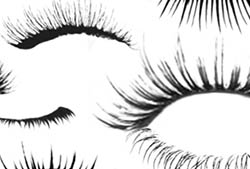
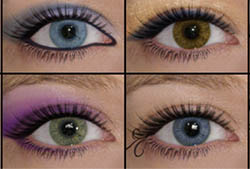
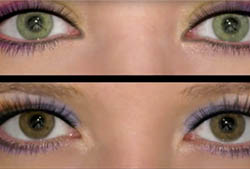
		<content type="html" xml:base="http://www.obsidiandawn.com/realistic-eyelashes-and-eyeshadow-in-photoshop-tutorial">&lt;p&gt;This tutorial will help explain how to use my Eyelashes and Eyeshadow brushes to create realistic looking makeup effects for eyes.&lt;/p&gt;
&lt;p&gt;Things you&amp;#8217;ll need:&lt;/p&gt;
&lt;ul&gt;
&lt;li&gt;&lt;a href="http://www.obsidiandawn.com/eyelashes-photoshop-gimp-brushes" title="Eyelashes Brushes"&gt;Eyelashes Brushes&lt;/a&gt;&lt;/li&gt;
&lt;li&gt;&lt;a href="http://www.obsidiandawn.com/eyeshadow-photoshop-gimp-brushes" title="Eyeshadow Brushes"&gt;Eyeshadow Brushes&lt;/a&gt;&lt;/li&gt;
&lt;li&gt;&lt;a href="http://www.obsidiandawn.com/wp-content/downloads/greeneyes.jpg" title="Makeup Free Eyes"&gt;Makeup-Free Eyes&lt;/a&gt; (optional &amp;#8211; feel free to use your own photos if you wish)&lt;/li&gt;
&lt;/ul&gt;
&lt;p&gt;Sidenote: Buying commercial licenses is now easier and faster than ever.  We&amp;#8217;ve added a shopping cart, so that you can add licenses to your cart, then proceed to PayPal for payment.  And once you&amp;#8217;re through, you&amp;#8217;ll be brought back to ObsidianDawn.com and be able to print out your receipt and licenses.  Previously, I was sending them out manually within 24 hours of a purchase, but now they&amp;#8217;ll be available immediately.  So, MUCH easier for both of us.&lt;/p&gt;
&lt;p&gt;You&amp;#8217;ll probably also notice that we&amp;#8217;ve switched the design around a bit.  Most of this was to help make the site more user-friendly.  Buttons with access to our terms of use and how to install the resource, etc. all right next to the download button = a lot less emails asking the same thing over and over again for moi, and easier to find answers for you all.&lt;/p&gt;
&lt;p&gt;(...)&lt;br/&gt;Read the rest of &lt;a href="http://www.obsidiandawn.com/realistic-eyelashes-and-eyeshadow-in-photoshop-tutorial"&gt;Realistic Eyelashes and Eyeshadow in Photoshop Tutorial&lt;/a&gt; (82 words)&lt;/p&gt;
&lt;hr /&gt;
&lt;p&gt;&lt;small&gt;© Stephanie for &lt;a href="http://www.obsidiandawn.com"&gt;Obsidian Dawn&lt;/a&gt;, 2011. |
&lt;a href="http://www.obsidiandawn.com/realistic-eyelashes-and-eyeshadow-in-photoshop-tutorial"&gt;Permalink&lt;/a&gt; |
&lt;a href="http://www.obsidiandawn.com/realistic-eyelashes-and-eyeshadow-in-photoshop-tutorial#comments"&gt;36 comments&lt;/a&gt; |
Add to
&lt;a href="http://del.icio.us/post?url=http://www.obsidiandawn.com/realistic-eyelashes-and-eyeshadow-in-photoshop-tutorial&amp;title=Realistic Eyelashes and Eyeshadow in Photoshop Tutorial"&gt;del.icio.us&lt;/a&gt;
&lt;br/&gt;
Post tags: &lt;a href="http://www.obsidiandawn.com/tag/people" rel="tag"&gt;People&lt;/a&gt;, &lt;a href="http://www.obsidiandawn.com/tag/photoshop" rel="tag"&gt;Photoshop&lt;/a&gt;, &lt;a href="http://www.obsidiandawn.com/tag/tutorials" rel="tag"&gt;Tutorials&lt;/a&gt;&lt;br/&gt;
&lt;/small&gt;&lt;/p&gt;&lt;div class="feedflare"&gt;
&lt;a href="http://feeds.feedburner.com/~ff/StephaniesBlogOfDesign?a=AsHPgDIqz6g:MoPKtdEQPpk:V_sGLiPBpWU"&gt;&lt;img src="http://feeds.feedburner.com/~ff/StephaniesBlogOfDesign?i=AsHPgDIqz6g:MoPKtdEQPpk:V_sGLiPBpWU" border="0"&gt;&lt;/img&gt;&lt;/a&gt; &lt;a href="http://feeds.feedburner.com/~ff/StephaniesBlogOfDesign?a=AsHPgDIqz6g:MoPKtdEQPpk:cGdyc7Q-1BI"&gt;&lt;img src="http://feeds.feedburner.com/~ff/StephaniesBlogOfDesign?d=cGdyc7Q-1BI" border="0"&gt;&lt;/img&gt;&lt;/a&gt; &lt;a href="http://feeds.feedburner.com/~ff/StephaniesBlogOfDesign?a=AsHPgDIqz6g:MoPKtdEQPpk:gIN9vFwOqvQ"&gt;&lt;img src="http://feeds.feedburner.com/~ff/StephaniesBlogOfDesign?i=AsHPgDIqz6g:MoPKtdEQPpk:gIN9vFwOqvQ" border="0"&gt;&lt;/img&gt;&lt;/a&gt; &lt;a href="http://feeds.feedburner.com/~ff/StephaniesBlogOfDesign?a=AsHPgDIqz6g:MoPKtdEQPpk:wF9xT3WuBAs"&gt;&lt;img src="http://feeds.feedburner.com/~ff/StephaniesBlogOfDesign?i=AsHPgDIqz6g:MoPKtdEQPpk:wF9xT3WuBAs" border="0"&gt;&lt;/img&gt;&lt;/a&gt; &lt;a href="http://feeds.feedburner.com/~ff/StephaniesBlogOfDesign?a=AsHPgDIqz6g:MoPKtdEQPpk:7Q72WNTAKBA"&gt;&lt;img src="http://feeds.feedburner.com/~ff/StephaniesBlogOfDesign?d=7Q72WNTAKBA" border="0"&gt;&lt;/img&gt;&lt;/a&gt;
&lt;/div&gt;</content>
		<link rel="replies" type="text/html" href="http://www.obsidiandawn.com/realistic-eyelashes-and-eyeshadow-in-photoshop-tutorial#comments" thr:count="36" />
		<link rel="replies" type="application/atom+xml" href="http://www.obsidiandawn.com/realistic-eyelashes-and-eyeshadow-in-photoshop-tutorial/feed/atom" thr:count="36" />
		<thr:total>36</thr:total>
	<feedburner:origLink>http://www.obsidiandawn.com/realistic-eyelashes-and-eyeshadow-in-photoshop-tutorial</feedburner:origLink></entry>
		<entry>
		<author>
			<name>Stephanie</name>
						<uri>http://www.obsidiandawn.com</uri>
					</author>
		<title type="html"><![CDATA[Painted Foliage Photoshop &amp; GIMP Brushes]]></title>
		<link rel="alternate" type="text/html" href="http://feedproxy.google.com/~r/StephaniesBlogOfDesign/~3/o83c6LZPpWI/painted-foliage-photoshop-gimp-brushes" />
		<id>http://www.obsidiandawn.com/?p=2350</id>
		<updated>2011-08-02T21:29:40Z</updated>
		<published>2011-05-29T20:51:09Z</published>
		<category scheme="http://www.obsidiandawn.com" term="Brushes" /><category scheme="http://www.obsidiandawn.com" term="GIMP" /><category scheme="http://www.obsidiandawn.com" term="Nature" /><category scheme="http://www.obsidiandawn.com" term="Photoshop" />		<summary type="html"><![CDATA[<img title="Painted Foliage Brushes" src="http://www.obsidiandawn.com/wp-content/images/thumbnails/painted-foliage-brushes.jpg" alt="Painted Foliage Brushes" />]]></summary>
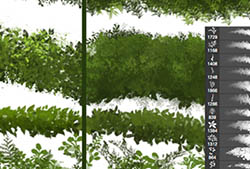
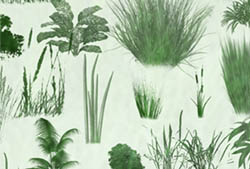
		<content type="html" xml:base="http://www.obsidiandawn.com/painted-foliage-photoshop-gimp-brushes">&lt;p&gt;This set of Photoshop &amp;amp; GIMP brushes is made up of various foliage that has been painted by hand, on a canvas.  So, you&amp;#8217;ve got that nice canvas texture, some paint texture, etc.  Included within are various stems, grass, and leaves &amp;#8211; some single, so that you can put them together however you like, and others already arranged in bunches.&lt;/p&gt;
&lt;p&gt;This set was made to accompany my &lt;a href="http://www.obsidiandawn.com/painted-flowers-photoshop-gimp-brushes"&gt;Painted Flowers Photoshop &amp;#038; GIMP Brushes&lt;/a&gt; set.  That one is made up of various flowers, all with the same pretty canvas texture.&lt;/p&gt;
&lt;p&gt;These are all very high resolution images, with the average brush size being about 2000 pixels.&lt;/p&gt;
&lt;p&gt;(...)&lt;br/&gt;Read the rest of &lt;a href="http://www.obsidiandawn.com/painted-foliage-photoshop-gimp-brushes"&gt;Painted Foliage Photoshop &amp;#038; GIMP Brushes&lt;/a&gt; (26 words)&lt;/p&gt;
&lt;hr /&gt;
&lt;p&gt;&lt;small&gt;© Stephanie for &lt;a href="http://www.obsidiandawn.com"&gt;Obsidian Dawn&lt;/a&gt;, 2011. |
&lt;a href="http://www.obsidiandawn.com/painted-foliage-photoshop-gimp-brushes"&gt;Permalink&lt;/a&gt; |
&lt;a href="http://www.obsidiandawn.com/painted-foliage-photoshop-gimp-brushes#comments"&gt;12 comments&lt;/a&gt; |
Add to
&lt;a href="http://del.icio.us/post?url=http://www.obsidiandawn.com/painted-foliage-photoshop-gimp-brushes&amp;title=Painted Foliage Photoshop &amp;#038; GIMP Brushes"&gt;del.icio.us&lt;/a&gt;
&lt;br/&gt;
Post tags: &lt;a href="http://www.obsidiandawn.com/tag/brushes" rel="tag"&gt;Brushes&lt;/a&gt;, &lt;a href="http://www.obsidiandawn.com/tag/gimp" rel="tag"&gt;GIMP&lt;/a&gt;, &lt;a href="http://www.obsidiandawn.com/tag/nature" rel="tag"&gt;Nature&lt;/a&gt;, &lt;a href="http://www.obsidiandawn.com/tag/photoshop" rel="tag"&gt;Photoshop&lt;/a&gt;&lt;br/&gt;
&lt;/small&gt;&lt;/p&gt;&lt;div class="feedflare"&gt;
&lt;a href="http://feeds.feedburner.com/~ff/StephaniesBlogOfDesign?a=o83c6LZPpWI:XkjSUdV3ItE:V_sGLiPBpWU"&gt;&lt;img src="http://feeds.feedburner.com/~ff/StephaniesBlogOfDesign?i=o83c6LZPpWI:XkjSUdV3ItE:V_sGLiPBpWU" border="0"&gt;&lt;/img&gt;&lt;/a&gt; &lt;a href="http://feeds.feedburner.com/~ff/StephaniesBlogOfDesign?a=o83c6LZPpWI:XkjSUdV3ItE:cGdyc7Q-1BI"&gt;&lt;img src="http://feeds.feedburner.com/~ff/StephaniesBlogOfDesign?d=cGdyc7Q-1BI" border="0"&gt;&lt;/img&gt;&lt;/a&gt; &lt;a href="http://feeds.feedburner.com/~ff/StephaniesBlogOfDesign?a=o83c6LZPpWI:XkjSUdV3ItE:gIN9vFwOqvQ"&gt;&lt;img src="http://feeds.feedburner.com/~ff/StephaniesBlogOfDesign?i=o83c6LZPpWI:XkjSUdV3ItE:gIN9vFwOqvQ" border="0"&gt;&lt;/img&gt;&lt;/a&gt; &lt;a href="http://feeds.feedburner.com/~ff/StephaniesBlogOfDesign?a=o83c6LZPpWI:XkjSUdV3ItE:wF9xT3WuBAs"&gt;&lt;img src="http://feeds.feedburner.com/~ff/StephaniesBlogOfDesign?i=o83c6LZPpWI:XkjSUdV3ItE:wF9xT3WuBAs" border="0"&gt;&lt;/img&gt;&lt;/a&gt; &lt;a href="http://feeds.feedburner.com/~ff/StephaniesBlogOfDesign?a=o83c6LZPpWI:XkjSUdV3ItE:7Q72WNTAKBA"&gt;&lt;img src="http://feeds.feedburner.com/~ff/StephaniesBlogOfDesign?d=7Q72WNTAKBA" border="0"&gt;&lt;/img&gt;&lt;/a&gt;
&lt;/div&gt;</content>
		<link rel="replies" type="text/html" href="http://www.obsidiandawn.com/painted-foliage-photoshop-gimp-brushes#comments" thr:count="12" />
		<link rel="replies" type="application/atom+xml" href="http://www.obsidiandawn.com/painted-foliage-photoshop-gimp-brushes/feed/atom" thr:count="12" />
		<thr:total>12</thr:total>
	<feedburner:origLink>http://www.obsidiandawn.com/painted-foliage-photoshop-gimp-brushes</feedburner:origLink></entry>
		<entry>
		<author>
			<name>Stephanie</name>
						<uri>http://www.obsidiandawn.com</uri>
					</author>
		<title type="html"><![CDATA[Painted Flowers Photoshop &amp; GIMP Brushes]]></title>
		<link rel="alternate" type="text/html" href="http://feedproxy.google.com/~r/StephaniesBlogOfDesign/~3/60S3oWardsk/painted-flowers-photoshop-gimp-brushes" />
		<id>http://www.obsidiandawn.com/?p=2341</id>
		<updated>2011-07-25T17:06:26Z</updated>
		<published>2011-05-26T18:31:33Z</published>
		<category scheme="http://www.obsidiandawn.com" term="Brushes" /><category scheme="http://www.obsidiandawn.com" term="GIMP" /><category scheme="http://www.obsidiandawn.com" term="Nature" /><category scheme="http://www.obsidiandawn.com" term="Photoshop" />		<summary type="html"><![CDATA[<img title="Painted Flowers Brushes" src="http://www.obsidiandawn.com/wp-content/images/thumbnails/painted-flower-brushes.jpg" alt="Painted Flowers Brushes" />]]></summary>
		<content type="html" xml:base="http://www.obsidiandawn.com/painted-flowers-photoshop-gimp-brushes">&lt;p&gt;This set of Photoshop &amp;amp; GIMP brushes is made up of various flowers that have been painted by hand, on a canvas.  So, you&amp;#8217;ve got that nice canvas texture, some paint texture, etc.  These flowers are not very detailed, just some basic flowery shapes.  Some fun embellishments to add just about anywhere.&lt;/p&gt;
&lt;p&gt;This set also includes a few brushes that are made to either add or remove the center from a flower, in a semi-circular shape.  For example, if a flower that you like doesn&amp;#8217;t have a center &amp;#8220;dot&amp;#8221; and you&amp;#8217;d like it to, you can use one of those &amp;#8220;center circle&amp;#8221; brushes to create it.  And the same applies to the opposite &amp;#8211; if you want to remove the center area of a flower, use one of these as an eraser to get rid of the flower center.  They have the same canvas texture to them.&lt;/p&gt;
&lt;p&gt;I also made a &lt;a href="http://www.obsidiandawn.com/painted-foliage-photoshop-gimp-brushes"&gt;Painted Foliage Photoshop &amp;#038; GIMP Brushes set&lt;/a&gt; to accompany this.  All kinds of foliage, from leaves to stems for the flowers to grass, all with the same pretty canvas texture.&lt;/p&gt;
&lt;p&gt;These are all very high resolution images, with the average brush size being about 2000 pixels.&lt;/p&gt;
&lt;p&gt;(...)&lt;br/&gt;Read the rest of &lt;a href="http://www.obsidiandawn.com/painted-flowers-photoshop-gimp-brushes"&gt;Painted Flowers Photoshop &amp;#038; GIMP Brushes&lt;/a&gt; (26 words)&lt;/p&gt;
&lt;hr /&gt;
&lt;p&gt;&lt;small&gt;© Stephanie for &lt;a href="http://www.obsidiandawn.com"&gt;Obsidian Dawn&lt;/a&gt;, 2011. |
&lt;a href="http://www.obsidiandawn.com/painted-flowers-photoshop-gimp-brushes"&gt;Permalink&lt;/a&gt; |
&lt;a href="http://www.obsidiandawn.com/painted-flowers-photoshop-gimp-brushes#comments"&gt;17 comments&lt;/a&gt; |
Add to
&lt;a href="http://del.icio.us/post?url=http://www.obsidiandawn.com/painted-flowers-photoshop-gimp-brushes&amp;title=Painted Flowers Photoshop &amp;#038; GIMP Brushes"&gt;del.icio.us&lt;/a&gt;
&lt;br/&gt;
Post tags: &lt;a href="http://www.obsidiandawn.com/tag/brushes" rel="tag"&gt;Brushes&lt;/a&gt;, &lt;a href="http://www.obsidiandawn.com/tag/gimp" rel="tag"&gt;GIMP&lt;/a&gt;, &lt;a href="http://www.obsidiandawn.com/tag/nature" rel="tag"&gt;Nature&lt;/a&gt;, &lt;a href="http://www.obsidiandawn.com/tag/photoshop" rel="tag"&gt;Photoshop&lt;/a&gt;&lt;br/&gt;
&lt;/small&gt;&lt;/p&gt;&lt;div class="feedflare"&gt;
&lt;a href="http://feeds.feedburner.com/~ff/StephaniesBlogOfDesign?a=60S3oWardsk:4a-WftsMRCQ:V_sGLiPBpWU"&gt;&lt;img src="http://feeds.feedburner.com/~ff/StephaniesBlogOfDesign?i=60S3oWardsk:4a-WftsMRCQ:V_sGLiPBpWU" border="0"&gt;&lt;/img&gt;&lt;/a&gt; &lt;a href="http://feeds.feedburner.com/~ff/StephaniesBlogOfDesign?a=60S3oWardsk:4a-WftsMRCQ:cGdyc7Q-1BI"&gt;&lt;img src="http://feeds.feedburner.com/~ff/StephaniesBlogOfDesign?d=cGdyc7Q-1BI" border="0"&gt;&lt;/img&gt;&lt;/a&gt; &lt;a href="http://feeds.feedburner.com/~ff/StephaniesBlogOfDesign?a=60S3oWardsk:4a-WftsMRCQ:gIN9vFwOqvQ"&gt;&lt;img src="http://feeds.feedburner.com/~ff/StephaniesBlogOfDesign?i=60S3oWardsk:4a-WftsMRCQ:gIN9vFwOqvQ" border="0"&gt;&lt;/img&gt;&lt;/a&gt; &lt;a href="http://feeds.feedburner.com/~ff/StephaniesBlogOfDesign?a=60S3oWardsk:4a-WftsMRCQ:wF9xT3WuBAs"&gt;&lt;img src="http://feeds.feedburner.com/~ff/StephaniesBlogOfDesign?i=60S3oWardsk:4a-WftsMRCQ:wF9xT3WuBAs" border="0"&gt;&lt;/img&gt;&lt;/a&gt; &lt;a href="http://feeds.feedburner.com/~ff/StephaniesBlogOfDesign?a=60S3oWardsk:4a-WftsMRCQ:7Q72WNTAKBA"&gt;&lt;img src="http://feeds.feedburner.com/~ff/StephaniesBlogOfDesign?d=7Q72WNTAKBA" border="0"&gt;&lt;/img&gt;&lt;/a&gt;
&lt;/div&gt;</content>
		<link rel="replies" type="text/html" href="http://www.obsidiandawn.com/painted-flowers-photoshop-gimp-brushes#comments" thr:count="17" />
		<link rel="replies" type="application/atom+xml" href="http://www.obsidiandawn.com/painted-flowers-photoshop-gimp-brushes/feed/atom" thr:count="17" />
		<thr:total>17</thr:total>
	<feedburner:origLink>http://www.obsidiandawn.com/painted-flowers-photoshop-gimp-brushes</feedburner:origLink></entry>
		<entry>
		<author>
			<name>Stephanie</name>
						<uri>http://www.obsidiandawn.com</uri>
					</author>
		<title type="html"><![CDATA[Crop Circles Photoshop &amp; GIMP Brushes]]></title>
		<link rel="alternate" type="text/html" href="http://feedproxy.google.com/~r/StephaniesBlogOfDesign/~3/xnTAtKSQT94/crop-circles-photoshop-gimp-brushes" />
		<id>http://www.obsidiandawn.com/?p=2328</id>
		<updated>2011-07-25T17:05:18Z</updated>
		<published>2011-04-27T00:47:19Z</published>
		<category scheme="http://www.obsidiandawn.com" term="Brushes" /><category scheme="http://www.obsidiandawn.com" term="Designs" /><category scheme="http://www.obsidiandawn.com" term="GIMP" /><category scheme="http://www.obsidiandawn.com" term="Photoshop" /><category scheme="http://www.obsidiandawn.com" term="Sci-Fi" />		<summary type="html"><![CDATA[<img  src="http://www.obsidiandawn.com/wp-content/images/thumbnails/crop-circles-brushes.jpg" alt="Crop Circles Brushes" />]]></summary>
		<content type="html" xml:base="http://www.obsidiandawn.com/crop-circles-photoshop-gimp-brushes">&lt;p&gt;This set of Photoshop &amp;amp; GIMP brushes is composed of crop circle shapes.  They&amp;#8217;re all beautiful radial designs, so even if you have NO use at all for crop circle brushes, you&amp;#8217;ll certainly find a need for these somewhere.  Many of them are also shapes in Sacred Geometry.&lt;/p&gt;
&lt;p&gt;There is no texture added to these.  They are the shapes only.  That way, you can apply them to an existing crop texture (or whatever) and create the circles.  (Tip: If you&amp;#8217;re not looking at your crop from straight above it, make sure you use these on a new layer, so that you can use the Edit &gt; Transform tool to skew their dimensions to look like they&amp;#8217;re lying down in the field.)&lt;/p&gt;
&lt;p&gt;These are all very high resolution images, with the average brush size being about 2000 pixels.&lt;/p&gt;
&lt;p&gt;(...)&lt;br/&gt;Read the rest of &lt;a href="http://www.obsidiandawn.com/crop-circles-photoshop-gimp-brushes"&gt;Crop Circles Photoshop &amp;#038; GIMP Brushes&lt;/a&gt; (26 words)&lt;/p&gt;
&lt;hr /&gt;
&lt;p&gt;&lt;small&gt;© Stephanie for &lt;a href="http://www.obsidiandawn.com"&gt;Obsidian Dawn&lt;/a&gt;, 2011. |
&lt;a href="http://www.obsidiandawn.com/crop-circles-photoshop-gimp-brushes"&gt;Permalink&lt;/a&gt; |
&lt;a href="http://www.obsidiandawn.com/crop-circles-photoshop-gimp-brushes#comments"&gt;16 comments&lt;/a&gt; |
Add to
&lt;a href="http://del.icio.us/post?url=http://www.obsidiandawn.com/crop-circles-photoshop-gimp-brushes&amp;title=Crop Circles Photoshop &amp;#038; GIMP Brushes"&gt;del.icio.us&lt;/a&gt;
&lt;br/&gt;
Post tags: &lt;a href="http://www.obsidiandawn.com/tag/brushes" rel="tag"&gt;Brushes&lt;/a&gt;, &lt;a href="http://www.obsidiandawn.com/tag/designs" rel="tag"&gt;Designs&lt;/a&gt;, &lt;a href="http://www.obsidiandawn.com/tag/gimp" rel="tag"&gt;GIMP&lt;/a&gt;, &lt;a href="http://www.obsidiandawn.com/tag/photoshop" rel="tag"&gt;Photoshop&lt;/a&gt;, &lt;a href="http://www.obsidiandawn.com/tag/sci-fi" rel="tag"&gt;Sci-Fi&lt;/a&gt;&lt;br/&gt;
&lt;/small&gt;&lt;/p&gt;&lt;div class="feedflare"&gt;
&lt;a href="http://feeds.feedburner.com/~ff/StephaniesBlogOfDesign?a=xnTAtKSQT94:uMdH06VQjIE:V_sGLiPBpWU"&gt;&lt;img src="http://feeds.feedburner.com/~ff/StephaniesBlogOfDesign?i=xnTAtKSQT94:uMdH06VQjIE:V_sGLiPBpWU" border="0"&gt;&lt;/img&gt;&lt;/a&gt; &lt;a href="http://feeds.feedburner.com/~ff/StephaniesBlogOfDesign?a=xnTAtKSQT94:uMdH06VQjIE:cGdyc7Q-1BI"&gt;&lt;img src="http://feeds.feedburner.com/~ff/StephaniesBlogOfDesign?d=cGdyc7Q-1BI" border="0"&gt;&lt;/img&gt;&lt;/a&gt; &lt;a href="http://feeds.feedburner.com/~ff/StephaniesBlogOfDesign?a=xnTAtKSQT94:uMdH06VQjIE:gIN9vFwOqvQ"&gt;&lt;img src="http://feeds.feedburner.com/~ff/StephaniesBlogOfDesign?i=xnTAtKSQT94:uMdH06VQjIE:gIN9vFwOqvQ" border="0"&gt;&lt;/img&gt;&lt;/a&gt; &lt;a href="http://feeds.feedburner.com/~ff/StephaniesBlogOfDesign?a=xnTAtKSQT94:uMdH06VQjIE:wF9xT3WuBAs"&gt;&lt;img src="http://feeds.feedburner.com/~ff/StephaniesBlogOfDesign?i=xnTAtKSQT94:uMdH06VQjIE:wF9xT3WuBAs" border="0"&gt;&lt;/img&gt;&lt;/a&gt; &lt;a href="http://feeds.feedburner.com/~ff/StephaniesBlogOfDesign?a=xnTAtKSQT94:uMdH06VQjIE:7Q72WNTAKBA"&gt;&lt;img src="http://feeds.feedburner.com/~ff/StephaniesBlogOfDesign?d=7Q72WNTAKBA" border="0"&gt;&lt;/img&gt;&lt;/a&gt;
&lt;/div&gt;</content>
		<link rel="replies" type="text/html" href="http://www.obsidiandawn.com/crop-circles-photoshop-gimp-brushes#comments" thr:count="16" />
		<link rel="replies" type="application/atom+xml" href="http://www.obsidiandawn.com/crop-circles-photoshop-gimp-brushes/feed/atom" thr:count="16" />
		<thr:total>16</thr:total>
	<feedburner:origLink>http://www.obsidiandawn.com/crop-circles-photoshop-gimp-brushes</feedburner:origLink></entry>
		<entry>
		<author>
			<name>Stephanie</name>
						<uri>http://www.obsidiandawn.com</uri>
					</author>
		<title type="html"><![CDATA[Painting Realistic Skin Textures in Photoshop Tutorial]]></title>
		<link rel="alternate" type="text/html" href="http://feedproxy.google.com/~r/StephaniesBlogOfDesign/~3/BCLlKeXc76Q/painting-realistic-skin-textures-in-photoshop-tutorial" />
		<id>http://www.obsidiandawn.com/?p=2303</id>
		<updated>2011-03-17T02:56:39Z</updated>
		<published>2011-03-16T22:35:28Z</published>
		<category scheme="http://www.obsidiandawn.com" term="Tutorials" /><category scheme="http://www.obsidiandawn.com" term="Photoshop" />		<summary type="html"><![CDATA[<img src="http://www.obsidiandawn.com/wp-content/images/thumbnails/skin-textures-tutorial.jpg" alt="Skin Textures" border="0" />]]></summary>
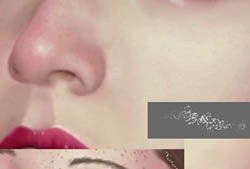
		<content type="html" xml:base="http://www.obsidiandawn.com/painting-realistic-skin-textures-in-photoshop-tutorial">&lt;p&gt;This tutorial will walk you through how to create realistic skin textures in Photoshop.  It accompanies a new brush set that I&amp;#8217;m releasing for all versions from Photoshop CS3 and onward.  It will explain how to paint with the brushes, blend to create beautiful skin textures, as well as how to add pores and freckles to the skin. &lt;/p&gt;
&lt;p&gt;This set is really made for digital painters.  If you&amp;#8217;re not already accustomed to painting portraits in Photoshop, it may not come of much use to you.  But for the digital painters out there that use Photoshop for your painting, this set will help you create skin textures and blend colors like never before.&lt;/p&gt;
&lt;p&gt;You’ll need to grab my &lt;a href="http://www.obsidiandawn.com/skin-textures-photoshop-brushes"&gt;Skin Textures Photoshop Brushes&lt;/a&gt; to follow along with this tutorial. &lt;/p&gt;
&lt;p&gt;Unlike my other tutorials, this one is done through YouTube.  You can watch the video tutorial below.  If you can&amp;#8217;t see details well enough, make sure you check the settings at the bottom of the video to make sure that you&amp;#8217;re watching the HD version (1020p is what you want &amp;#8211; the ability to change this will show up once you hit play, in the bottom middle of the video).  You can then view it full screen using the bottom rightmost button, and you should be able to see everything clearly.&lt;/p&gt;
&lt;p&gt;(...)&lt;br/&gt;Read the rest of &lt;a href="http://www.obsidiandawn.com/painting-realistic-skin-textures-in-photoshop-tutorial"&gt;Painting Realistic Skin Textures in Photoshop Tutorial&lt;/a&gt; (1 words)&lt;/p&gt;
&lt;hr /&gt;
&lt;p&gt;&lt;small&gt;© Stephanie for &lt;a href="http://www.obsidiandawn.com"&gt;Obsidian Dawn&lt;/a&gt;, 2011. |
&lt;a href="http://www.obsidiandawn.com/painting-realistic-skin-textures-in-photoshop-tutorial"&gt;Permalink&lt;/a&gt; |
&lt;a href="http://www.obsidiandawn.com/painting-realistic-skin-textures-in-photoshop-tutorial#comments"&gt;23 comments&lt;/a&gt; |
Add to
&lt;a href="http://del.icio.us/post?url=http://www.obsidiandawn.com/painting-realistic-skin-textures-in-photoshop-tutorial&amp;title=Painting Realistic Skin Textures in Photoshop Tutorial"&gt;del.icio.us&lt;/a&gt;
&lt;br/&gt;
Post tags: &lt;a href="http://www.obsidiandawn.com/tag/photoshop" rel="tag"&gt;Photoshop&lt;/a&gt;, &lt;a href="http://www.obsidiandawn.com/tag/tutorials" rel="tag"&gt;Tutorials&lt;/a&gt;&lt;br/&gt;
&lt;/small&gt;&lt;/p&gt;&lt;div class="feedflare"&gt;
&lt;a href="http://feeds.feedburner.com/~ff/StephaniesBlogOfDesign?a=BCLlKeXc76Q:HBmN34rsg8c:V_sGLiPBpWU"&gt;&lt;img src="http://feeds.feedburner.com/~ff/StephaniesBlogOfDesign?i=BCLlKeXc76Q:HBmN34rsg8c:V_sGLiPBpWU" border="0"&gt;&lt;/img&gt;&lt;/a&gt; &lt;a href="http://feeds.feedburner.com/~ff/StephaniesBlogOfDesign?a=BCLlKeXc76Q:HBmN34rsg8c:cGdyc7Q-1BI"&gt;&lt;img src="http://feeds.feedburner.com/~ff/StephaniesBlogOfDesign?d=cGdyc7Q-1BI" border="0"&gt;&lt;/img&gt;&lt;/a&gt; &lt;a href="http://feeds.feedburner.com/~ff/StephaniesBlogOfDesign?a=BCLlKeXc76Q:HBmN34rsg8c:gIN9vFwOqvQ"&gt;&lt;img src="http://feeds.feedburner.com/~ff/StephaniesBlogOfDesign?i=BCLlKeXc76Q:HBmN34rsg8c:gIN9vFwOqvQ" border="0"&gt;&lt;/img&gt;&lt;/a&gt; &lt;a href="http://feeds.feedburner.com/~ff/StephaniesBlogOfDesign?a=BCLlKeXc76Q:HBmN34rsg8c:wF9xT3WuBAs"&gt;&lt;img src="http://feeds.feedburner.com/~ff/StephaniesBlogOfDesign?i=BCLlKeXc76Q:HBmN34rsg8c:wF9xT3WuBAs" border="0"&gt;&lt;/img&gt;&lt;/a&gt; &lt;a href="http://feeds.feedburner.com/~ff/StephaniesBlogOfDesign?a=BCLlKeXc76Q:HBmN34rsg8c:7Q72WNTAKBA"&gt;&lt;img src="http://feeds.feedburner.com/~ff/StephaniesBlogOfDesign?d=7Q72WNTAKBA" border="0"&gt;&lt;/img&gt;&lt;/a&gt;
&lt;/div&gt;</content>
		<link rel="replies" type="text/html" href="http://www.obsidiandawn.com/painting-realistic-skin-textures-in-photoshop-tutorial#comments" thr:count="23" />
		<link rel="replies" type="application/atom+xml" href="http://www.obsidiandawn.com/painting-realistic-skin-textures-in-photoshop-tutorial/feed/atom" thr:count="23" />
		<thr:total>23</thr:total>
	<feedburner:origLink>http://www.obsidiandawn.com/painting-realistic-skin-textures-in-photoshop-tutorial</feedburner:origLink></entry>
		<entry>
		<author>
			<name>Stephanie</name>
						<uri>http://www.obsidiandawn.com</uri>
					</author>
		<title type="html"><![CDATA[Skin Textures Photoshop Brushes]]></title>
		<link rel="alternate" type="text/html" href="http://feedproxy.google.com/~r/StephaniesBlogOfDesign/~3/GrZK25v4J00/skin-textures-photoshop-brushes" />
		<id>http://www.obsidiandawn.com/?p=2305</id>
		<updated>2011-07-25T17:04:06Z</updated>
		<published>2011-03-16T22:30:40Z</published>
		<category scheme="http://www.obsidiandawn.com" term="Brushes" /><category scheme="http://www.obsidiandawn.com" term="Painting" /><category scheme="http://www.obsidiandawn.com" term="Photoshop" /><category scheme="http://www.obsidiandawn.com" term="Textures" />		<summary type="html"><![CDATA[<img src="http://www.obsidiandawn.com/wp-content/images/thumbnails/skin-textures-brushes.jpg" border="0" />]]></summary>
		<content type="html" xml:base="http://www.obsidiandawn.com/skin-textures-photoshop-brushes">&lt;p&gt;This set of Photoshop &amp;amp; GIMP brushes is composed of brushes used for painting realistic skin textures.  There is a tutorial that I&amp;#8217;ve posted to go along with it.  To make the most of this brush pack, you&amp;#8217;ll want to watch it.&lt;/p&gt;
&lt;p&gt;&lt;strong&gt;&lt;a href="/painting-realistic-skin-textures-in-photoshop-tutorial"&gt;Painting Skin Textures in Photoshop Tutorial&lt;/a&gt;&lt;/strong&gt;&lt;/p&gt;
&lt;p&gt;Unlike all of my other sets, this set was &lt;strong&gt;made to work only in versions of Photoshop from CS3 onward&lt;/strong&gt;.  I&amp;#8217;m afraid that Photoshop 7 didn&amp;#8217;t have the ability to do with the brushes the kinds of things &amp;#8211; mostly blending and smudging &amp;#8211; that I wanted this set to be able to do.  And the next newest version of Photoshop that I had to make them in was CS3. I&amp;#8217;m not sure if they can be used in GIMP or not, but I assume not.&lt;/p&gt;
&lt;p&gt;Most of these are not terribly high resolution, since in most cases they won&amp;#8217;t need to be.  They&amp;#8217;re about 800 pixels on average, but should be scalable up to the maximum brush size without any loss of quality if you actually need them that large.&lt;/p&gt;
&lt;p&gt;For those of you that are not digital painters or who don&amp;#8217;t generally paint portraits, this set does wonders on photos, as well.  Use it on someone&amp;#8217;s skin to smooth up that skin and make it look professionally airbrushed.  It also works great for creating textures in backgrounds and such.&lt;/p&gt;
&lt;p&gt;(...)&lt;br/&gt;Read the rest of &lt;a href="http://www.obsidiandawn.com/skin-textures-photoshop-brushes"&gt;Skin Textures Photoshop Brushes&lt;/a&gt; (22 words)&lt;/p&gt;
&lt;hr /&gt;
&lt;p&gt;&lt;small&gt;© Stephanie for &lt;a href="http://www.obsidiandawn.com"&gt;Obsidian Dawn&lt;/a&gt;, 2011. |
&lt;a href="http://www.obsidiandawn.com/skin-textures-photoshop-brushes"&gt;Permalink&lt;/a&gt; |
&lt;a href="http://www.obsidiandawn.com/skin-textures-photoshop-brushes#comments"&gt;32 comments&lt;/a&gt; |
Add to
&lt;a href="http://del.icio.us/post?url=http://www.obsidiandawn.com/skin-textures-photoshop-brushes&amp;title=Skin Textures Photoshop Brushes"&gt;del.icio.us&lt;/a&gt;
&lt;br/&gt;
Post tags: &lt;a href="http://www.obsidiandawn.com/tag/brushes" rel="tag"&gt;Brushes&lt;/a&gt;, &lt;a href="http://www.obsidiandawn.com/tag/painting" rel="tag"&gt;Painting&lt;/a&gt;, &lt;a href="http://www.obsidiandawn.com/tag/photoshop" rel="tag"&gt;Photoshop&lt;/a&gt;, &lt;a href="http://www.obsidiandawn.com/tag/textures" rel="tag"&gt;Textures&lt;/a&gt;&lt;br/&gt;
&lt;/small&gt;&lt;/p&gt;&lt;div class="feedflare"&gt;
&lt;a href="http://feeds.feedburner.com/~ff/StephaniesBlogOfDesign?a=GrZK25v4J00:xSI6rz0SARg:V_sGLiPBpWU"&gt;&lt;img src="http://feeds.feedburner.com/~ff/StephaniesBlogOfDesign?i=GrZK25v4J00:xSI6rz0SARg:V_sGLiPBpWU" border="0"&gt;&lt;/img&gt;&lt;/a&gt; &lt;a href="http://feeds.feedburner.com/~ff/StephaniesBlogOfDesign?a=GrZK25v4J00:xSI6rz0SARg:cGdyc7Q-1BI"&gt;&lt;img src="http://feeds.feedburner.com/~ff/StephaniesBlogOfDesign?d=cGdyc7Q-1BI" border="0"&gt;&lt;/img&gt;&lt;/a&gt; &lt;a href="http://feeds.feedburner.com/~ff/StephaniesBlogOfDesign?a=GrZK25v4J00:xSI6rz0SARg:gIN9vFwOqvQ"&gt;&lt;img src="http://feeds.feedburner.com/~ff/StephaniesBlogOfDesign?i=GrZK25v4J00:xSI6rz0SARg:gIN9vFwOqvQ" border="0"&gt;&lt;/img&gt;&lt;/a&gt; &lt;a href="http://feeds.feedburner.com/~ff/StephaniesBlogOfDesign?a=GrZK25v4J00:xSI6rz0SARg:wF9xT3WuBAs"&gt;&lt;img src="http://feeds.feedburner.com/~ff/StephaniesBlogOfDesign?i=GrZK25v4J00:xSI6rz0SARg:wF9xT3WuBAs" border="0"&gt;&lt;/img&gt;&lt;/a&gt; &lt;a href="http://feeds.feedburner.com/~ff/StephaniesBlogOfDesign?a=GrZK25v4J00:xSI6rz0SARg:7Q72WNTAKBA"&gt;&lt;img src="http://feeds.feedburner.com/~ff/StephaniesBlogOfDesign?d=7Q72WNTAKBA" border="0"&gt;&lt;/img&gt;&lt;/a&gt;
&lt;/div&gt;</content>
		<link rel="replies" type="text/html" href="http://www.obsidiandawn.com/skin-textures-photoshop-brushes#comments" thr:count="32" />
		<link rel="replies" type="application/atom+xml" href="http://www.obsidiandawn.com/skin-textures-photoshop-brushes/feed/atom" thr:count="32" />
		<thr:total>32</thr:total>
	<feedburner:origLink>http://www.obsidiandawn.com/skin-textures-photoshop-brushes</feedburner:origLink></entry>
		<entry>
		<author>
			<name>Stephanie</name>
						<uri>http://www.obsidiandawn.com</uri>
					</author>
		<title type="html"><![CDATA[Fur Painting Photoshop &amp; GIMP Brushes]]></title>
		<link rel="alternate" type="text/html" href="http://feedproxy.google.com/~r/StephaniesBlogOfDesign/~3/xQLcJjFEBaA/fur-painting-photoshop-gimp-brushes" />
		<id>http://www.obsidiandawn.com/?p=2265</id>
		<updated>2011-07-25T17:01:30Z</updated>
		<published>2010-12-01T21:07:11Z</published>
		<category scheme="http://www.obsidiandawn.com" term="Brushes" /><category scheme="http://www.obsidiandawn.com" term="GIMP" /><category scheme="http://www.obsidiandawn.com" term="Nature" /><category scheme="http://www.obsidiandawn.com" term="Painting" /><category scheme="http://www.obsidiandawn.com" term="Photoshop" />		<summary type="html"><![CDATA[<img title="Fur Brushes" src="http://www.obsidiandawn.com/wp-content/images/thumbnails/fur-brushes.jpg" alt="Furs Brushes" />]]></summary>
		<content type="html" xml:base="http://www.obsidiandawn.com/fur-painting-photoshop-gimp-brushes">&lt;p&gt;This set of Photoshop &amp;amp; GIMP brushes is composed of brushes used for painting animal fur.  There&amp;#8217;s some single hairs, some doubles, and some groupings of several hair strands together.  All of them are made to scatter and change their angle just slightly, so as to make the fur look realistic.  They will also just slightly alter their hue, saturation, and brightness to allow for the distinguishing between individual hairs, as you can see in the preview image.&lt;/p&gt;
&lt;p&gt;Most of these are not terribly high resolution, since in most cases they won&amp;#8217;t need to be.  They&amp;#8217;re about 1000 pixels on average, but should be scalable up to the maximum brush size without any loss of quality if you actually need them that large.&lt;/p&gt;
&lt;p&gt;I&amp;#8217;m writing a few tips on using these below, so scroll down if you&amp;#8217;re experiencing problems using them or just want some help in making them look as realistic as possible.&lt;/p&gt;
&lt;p&gt;(...)&lt;br/&gt;Read the rest of &lt;a href="http://www.obsidiandawn.com/fur-painting-photoshop-gimp-brushes"&gt;Fur Painting Photoshop &amp;#038; GIMP Brushes&lt;/a&gt; (613 words)&lt;/p&gt;
&lt;hr /&gt;
&lt;p&gt;&lt;small&gt;© Stephanie for &lt;a href="http://www.obsidiandawn.com"&gt;Obsidian Dawn&lt;/a&gt;, 2010. |
&lt;a href="http://www.obsidiandawn.com/fur-painting-photoshop-gimp-brushes"&gt;Permalink&lt;/a&gt; |
&lt;a href="http://www.obsidiandawn.com/fur-painting-photoshop-gimp-brushes#comments"&gt;22 comments&lt;/a&gt; |
Add to
&lt;a href="http://del.icio.us/post?url=http://www.obsidiandawn.com/fur-painting-photoshop-gimp-brushes&amp;title=Fur Painting Photoshop &amp;#038; GIMP Brushes"&gt;del.icio.us&lt;/a&gt;
&lt;br/&gt;
Post tags: &lt;a href="http://www.obsidiandawn.com/tag/brushes" rel="tag"&gt;Brushes&lt;/a&gt;, &lt;a href="http://www.obsidiandawn.com/tag/gimp" rel="tag"&gt;GIMP&lt;/a&gt;, &lt;a href="http://www.obsidiandawn.com/tag/nature" rel="tag"&gt;Nature&lt;/a&gt;, &lt;a href="http://www.obsidiandawn.com/tag/painting" rel="tag"&gt;Painting&lt;/a&gt;, &lt;a href="http://www.obsidiandawn.com/tag/photoshop" rel="tag"&gt;Photoshop&lt;/a&gt;&lt;br/&gt;
&lt;/small&gt;&lt;/p&gt;&lt;div class="feedflare"&gt;
&lt;a href="http://feeds.feedburner.com/~ff/StephaniesBlogOfDesign?a=xQLcJjFEBaA:3eJh1bAqQ9M:V_sGLiPBpWU"&gt;&lt;img src="http://feeds.feedburner.com/~ff/StephaniesBlogOfDesign?i=xQLcJjFEBaA:3eJh1bAqQ9M:V_sGLiPBpWU" border="0"&gt;&lt;/img&gt;&lt;/a&gt; &lt;a href="http://feeds.feedburner.com/~ff/StephaniesBlogOfDesign?a=xQLcJjFEBaA:3eJh1bAqQ9M:cGdyc7Q-1BI"&gt;&lt;img src="http://feeds.feedburner.com/~ff/StephaniesBlogOfDesign?d=cGdyc7Q-1BI" border="0"&gt;&lt;/img&gt;&lt;/a&gt; &lt;a href="http://feeds.feedburner.com/~ff/StephaniesBlogOfDesign?a=xQLcJjFEBaA:3eJh1bAqQ9M:gIN9vFwOqvQ"&gt;&lt;img src="http://feeds.feedburner.com/~ff/StephaniesBlogOfDesign?i=xQLcJjFEBaA:3eJh1bAqQ9M:gIN9vFwOqvQ" border="0"&gt;&lt;/img&gt;&lt;/a&gt; &lt;a href="http://feeds.feedburner.com/~ff/StephaniesBlogOfDesign?a=xQLcJjFEBaA:3eJh1bAqQ9M:wF9xT3WuBAs"&gt;&lt;img src="http://feeds.feedburner.com/~ff/StephaniesBlogOfDesign?i=xQLcJjFEBaA:3eJh1bAqQ9M:wF9xT3WuBAs" border="0"&gt;&lt;/img&gt;&lt;/a&gt; &lt;a href="http://feeds.feedburner.com/~ff/StephaniesBlogOfDesign?a=xQLcJjFEBaA:3eJh1bAqQ9M:7Q72WNTAKBA"&gt;&lt;img src="http://feeds.feedburner.com/~ff/StephaniesBlogOfDesign?d=7Q72WNTAKBA" border="0"&gt;&lt;/img&gt;&lt;/a&gt;
&lt;/div&gt;</content>
		<link rel="replies" type="text/html" href="http://www.obsidiandawn.com/fur-painting-photoshop-gimp-brushes#comments" thr:count="22" />
		<link rel="replies" type="application/atom+xml" href="http://www.obsidiandawn.com/fur-painting-photoshop-gimp-brushes/feed/atom" thr:count="22" />
		<thr:total>22</thr:total>
	<feedburner:origLink>http://www.obsidiandawn.com/fur-painting-photoshop-gimp-brushes</feedburner:origLink></entry>
		<entry>
		<author>
			<name>Stephanie</name>
						<uri>http://www.obsidiandawn.com</uri>
					</author>
		<title type="html"><![CDATA[Icicles Photoshop &amp; GIMP Brushes]]></title>
		<link rel="alternate" type="text/html" href="http://feedproxy.google.com/~r/StephaniesBlogOfDesign/~3/hdL_NNH9TJE/icicles-photoshop-gimp-brushes" />
		<id>http://www.obsidiandawn.com/?p=2267</id>
		<updated>2011-07-25T17:00:28Z</updated>
		<published>2010-11-26T03:41:51Z</published>
		<category scheme="http://www.obsidiandawn.com" term="Brushes" /><category scheme="http://www.obsidiandawn.com" term="GIMP" /><category scheme="http://www.obsidiandawn.com" term="Nature" /><category scheme="http://www.obsidiandawn.com" term="Photoshop" /><category scheme="http://www.obsidiandawn.com" term="Themes" />		<summary type="html"><![CDATA[<img title="Icicle Brushes" src="http://www.obsidiandawn.com/wp-content/images/thumbnails/icicle-brushes.jpg" alt="Icicle Brushes" />]]></summary>
		<content type="html" xml:base="http://www.obsidiandawn.com/icicles-photoshop-gimp-brushes">&lt;p&gt;It&amp;#8217;s that time of year again!  This set of Photoshop &amp;amp; GIMP brushes is composed of various shapes of icicles.  There&amp;#8217;s some singles, a few that have stuck together into a double icicle, and some groupings for quick and easy placement across long areas.  Some icicles are thick, some are thin&amp;#8230; some are more transparent, some are frosty white. &lt;/p&gt;
&lt;p&gt;They are all extremely high resolution, with an average size of about 2400 pixels.  Enjoy!&lt;/p&gt;
&lt;p&gt;(...)&lt;br/&gt;Read the rest of &lt;a href="http://www.obsidiandawn.com/icicles-photoshop-gimp-brushes"&gt;Icicles Photoshop &amp;#038; GIMP Brushes&lt;/a&gt; (27 words)&lt;/p&gt;
&lt;hr /&gt;
&lt;p&gt;&lt;small&gt;© Stephanie for &lt;a href="http://www.obsidiandawn.com"&gt;Obsidian Dawn&lt;/a&gt;, 2010. |
&lt;a href="http://www.obsidiandawn.com/icicles-photoshop-gimp-brushes"&gt;Permalink&lt;/a&gt; |
&lt;a href="http://www.obsidiandawn.com/icicles-photoshop-gimp-brushes#comments"&gt;19 comments&lt;/a&gt; |
Add to
&lt;a href="http://del.icio.us/post?url=http://www.obsidiandawn.com/icicles-photoshop-gimp-brushes&amp;title=Icicles Photoshop &amp;#038; GIMP Brushes"&gt;del.icio.us&lt;/a&gt;
&lt;br/&gt;
Post tags: &lt;a href="http://www.obsidiandawn.com/tag/brushes" rel="tag"&gt;Brushes&lt;/a&gt;, &lt;a href="http://www.obsidiandawn.com/tag/gimp" rel="tag"&gt;GIMP&lt;/a&gt;, &lt;a href="http://www.obsidiandawn.com/tag/nature" rel="tag"&gt;Nature&lt;/a&gt;, &lt;a href="http://www.obsidiandawn.com/tag/photoshop" rel="tag"&gt;Photoshop&lt;/a&gt;, &lt;a href="http://www.obsidiandawn.com/tag/themes" rel="tag"&gt;Themes&lt;/a&gt;&lt;br/&gt;
&lt;/small&gt;&lt;/p&gt;&lt;div class="feedflare"&gt;
&lt;a href="http://feeds.feedburner.com/~ff/StephaniesBlogOfDesign?a=hdL_NNH9TJE:ghL-d6Sofug:V_sGLiPBpWU"&gt;&lt;img src="http://feeds.feedburner.com/~ff/StephaniesBlogOfDesign?i=hdL_NNH9TJE:ghL-d6Sofug:V_sGLiPBpWU" border="0"&gt;&lt;/img&gt;&lt;/a&gt; &lt;a href="http://feeds.feedburner.com/~ff/StephaniesBlogOfDesign?a=hdL_NNH9TJE:ghL-d6Sofug:cGdyc7Q-1BI"&gt;&lt;img src="http://feeds.feedburner.com/~ff/StephaniesBlogOfDesign?d=cGdyc7Q-1BI" border="0"&gt;&lt;/img&gt;&lt;/a&gt; &lt;a href="http://feeds.feedburner.com/~ff/StephaniesBlogOfDesign?a=hdL_NNH9TJE:ghL-d6Sofug:gIN9vFwOqvQ"&gt;&lt;img src="http://feeds.feedburner.com/~ff/StephaniesBlogOfDesign?i=hdL_NNH9TJE:ghL-d6Sofug:gIN9vFwOqvQ" border="0"&gt;&lt;/img&gt;&lt;/a&gt; &lt;a href="http://feeds.feedburner.com/~ff/StephaniesBlogOfDesign?a=hdL_NNH9TJE:ghL-d6Sofug:wF9xT3WuBAs"&gt;&lt;img src="http://feeds.feedburner.com/~ff/StephaniesBlogOfDesign?i=hdL_NNH9TJE:ghL-d6Sofug:wF9xT3WuBAs" border="0"&gt;&lt;/img&gt;&lt;/a&gt; &lt;a href="http://feeds.feedburner.com/~ff/StephaniesBlogOfDesign?a=hdL_NNH9TJE:ghL-d6Sofug:7Q72WNTAKBA"&gt;&lt;img src="http://feeds.feedburner.com/~ff/StephaniesBlogOfDesign?d=7Q72WNTAKBA" border="0"&gt;&lt;/img&gt;&lt;/a&gt;
&lt;/div&gt;</content>
		<link rel="replies" type="text/html" href="http://www.obsidiandawn.com/icicles-photoshop-gimp-brushes#comments" thr:count="19" />
		<link rel="replies" type="application/atom+xml" href="http://www.obsidiandawn.com/icicles-photoshop-gimp-brushes/feed/atom" thr:count="19" />
		<thr:total>19</thr:total>
	<feedburner:origLink>http://www.obsidiandawn.com/icicles-photoshop-gimp-brushes</feedburner:origLink></entry>
		<entry>
		<author>
			<name>Stephanie</name>
						<uri>http://www.obsidiandawn.com</uri>
					</author>
		<title type="html"><![CDATA[Glowing Circles Photoshop &amp; GIMP Brushes]]></title>
		<link rel="alternate" type="text/html" href="http://feedproxy.google.com/~r/StephaniesBlogOfDesign/~3/7yk41z63ubk/glowing-circles-photoshop-gimp-brushes" />
		<id>http://www.obsidiandawn.com/?p=2257</id>
		<updated>2011-07-25T16:59:16Z</updated>
		<published>2010-11-23T16:36:18Z</published>
		<category scheme="http://www.obsidiandawn.com" term="Brushes" /><category scheme="http://www.obsidiandawn.com" term="Designs" /><category scheme="http://www.obsidiandawn.com" term="GIMP" /><category scheme="http://www.obsidiandawn.com" term="Photoshop" />		<summary type="html"><![CDATA[<img title="Glowing Circles Brushes" src="http://www.obsidiandawn.com/wp-content/images/thumbnails/glowing-circles-brushes.jpg" alt="Glowing Circles Brushes" />]]></summary>
		<content type="html" xml:base="http://www.obsidiandawn.com/glowing-circles-photoshop-gimp-brushes">&lt;p&gt;This set of Photoshop &amp;amp; GIMP brushes is composed of various shapes of glowing circles.  Most are single, but there&amp;#8217;s some groupings of circles together, as well.  They should work wonderfully for all kinds of things.&lt;/p&gt;
&lt;p&gt;They are all extremely high resolution, with an average size of about 2300 pixels.  Enjoy!&lt;/p&gt;
&lt;p&gt;(...)&lt;br/&gt;Read the rest of &lt;a href="http://www.obsidiandawn.com/glowing-circles-photoshop-gimp-brushes"&gt;Glowing Circles Photoshop &amp;#038; GIMP Brushes&lt;/a&gt; (90 words)&lt;/p&gt;
&lt;hr /&gt;
&lt;p&gt;&lt;small&gt;© Stephanie for &lt;a href="http://www.obsidiandawn.com"&gt;Obsidian Dawn&lt;/a&gt;, 2010. |
&lt;a href="http://www.obsidiandawn.com/glowing-circles-photoshop-gimp-brushes"&gt;Permalink&lt;/a&gt; |
&lt;a href="http://www.obsidiandawn.com/glowing-circles-photoshop-gimp-brushes#comments"&gt;33 comments&lt;/a&gt; |
Add to
&lt;a href="http://del.icio.us/post?url=http://www.obsidiandawn.com/glowing-circles-photoshop-gimp-brushes&amp;title=Glowing Circles Photoshop &amp;#038; GIMP Brushes"&gt;del.icio.us&lt;/a&gt;
&lt;br/&gt;
Post tags: &lt;a href="http://www.obsidiandawn.com/tag/brushes" rel="tag"&gt;Brushes&lt;/a&gt;, &lt;a href="http://www.obsidiandawn.com/tag/designs" rel="tag"&gt;Designs&lt;/a&gt;, &lt;a href="http://www.obsidiandawn.com/tag/gimp" rel="tag"&gt;GIMP&lt;/a&gt;, &lt;a href="http://www.obsidiandawn.com/tag/photoshop" rel="tag"&gt;Photoshop&lt;/a&gt;&lt;br/&gt;
&lt;/small&gt;&lt;/p&gt;&lt;div class="feedflare"&gt;
&lt;a href="http://feeds.feedburner.com/~ff/StephaniesBlogOfDesign?a=7yk41z63ubk:LLgKjdcH0kY:V_sGLiPBpWU"&gt;&lt;img src="http://feeds.feedburner.com/~ff/StephaniesBlogOfDesign?i=7yk41z63ubk:LLgKjdcH0kY:V_sGLiPBpWU" border="0"&gt;&lt;/img&gt;&lt;/a&gt; &lt;a href="http://feeds.feedburner.com/~ff/StephaniesBlogOfDesign?a=7yk41z63ubk:LLgKjdcH0kY:cGdyc7Q-1BI"&gt;&lt;img src="http://feeds.feedburner.com/~ff/StephaniesBlogOfDesign?d=cGdyc7Q-1BI" border="0"&gt;&lt;/img&gt;&lt;/a&gt; &lt;a href="http://feeds.feedburner.com/~ff/StephaniesBlogOfDesign?a=7yk41z63ubk:LLgKjdcH0kY:gIN9vFwOqvQ"&gt;&lt;img src="http://feeds.feedburner.com/~ff/StephaniesBlogOfDesign?i=7yk41z63ubk:LLgKjdcH0kY:gIN9vFwOqvQ" border="0"&gt;&lt;/img&gt;&lt;/a&gt; &lt;a href="http://feeds.feedburner.com/~ff/StephaniesBlogOfDesign?a=7yk41z63ubk:LLgKjdcH0kY:wF9xT3WuBAs"&gt;&lt;img src="http://feeds.feedburner.com/~ff/StephaniesBlogOfDesign?i=7yk41z63ubk:LLgKjdcH0kY:wF9xT3WuBAs" border="0"&gt;&lt;/img&gt;&lt;/a&gt; &lt;a href="http://feeds.feedburner.com/~ff/StephaniesBlogOfDesign?a=7yk41z63ubk:LLgKjdcH0kY:7Q72WNTAKBA"&gt;&lt;img src="http://feeds.feedburner.com/~ff/StephaniesBlogOfDesign?d=7Q72WNTAKBA" border="0"&gt;&lt;/img&gt;&lt;/a&gt;
&lt;/div&gt;</content>
		<link rel="replies" type="text/html" href="http://www.obsidiandawn.com/glowing-circles-photoshop-gimp-brushes#comments" thr:count="33" />
		<link rel="replies" type="application/atom+xml" href="http://www.obsidiandawn.com/glowing-circles-photoshop-gimp-brushes/feed/atom" thr:count="33" />
		<thr:total>33</thr:total>
	<feedburner:origLink>http://www.obsidiandawn.com/glowing-circles-photoshop-gimp-brushes</feedburner:origLink></entry>
		<entry>
		<author>
			<name>Stephanie</name>
						<uri>http://www.obsidiandawn.com</uri>
					</author>
		<title type="html"><![CDATA[Glowing Shapes Borders Photoshop &amp; GIMP Brushes]]></title>
		<link rel="alternate" type="text/html" href="http://feedproxy.google.com/~r/StephaniesBlogOfDesign/~3/FX_RfXfunyA/glowing-shapes-borders-photoshop-gimp-brushes" />
		<id>http://www.obsidiandawn.com/?p=2234</id>
		<updated>2011-07-25T16:58:16Z</updated>
		<published>2010-06-30T21:12:08Z</published>
		<category scheme="http://www.obsidiandawn.com" term="Brushes" /><category scheme="http://www.obsidiandawn.com" term="Designs" /><category scheme="http://www.obsidiandawn.com" term="GIMP" /><category scheme="http://www.obsidiandawn.com" term="Photoshop" />		<summary type="html"><![CDATA[<img src="http://www.obsidiandawn.com/wp-content/images/thumbnails/glowing-shapes-brushes.jpg" alt="Glowing Shapes Borders Brushes" />]]></summary>
		<content type="html" xml:base="http://www.obsidiandawn.com/glowing-shapes-borders-photoshop-gimp-brushes">&lt;p&gt;This set of Photoshop &amp;amp; GIMP brushes is composed of various shape &amp;#8220;holes&amp;#8221; with glows around them.  They are meant to be used as borders around &amp;#8230; well, whatever you want them to border.  They are transparent in the center, so that whatever they&amp;#8217;re bordering can show through.&lt;/p&gt;
&lt;p&gt;They are all extremely high resolution, with an average size of about 2000 pixels.  Enjoy!&lt;/p&gt;
&lt;p&gt;(...)&lt;br/&gt;Read the rest of &lt;a href="http://www.obsidiandawn.com/glowing-shapes-borders-photoshop-gimp-brushes"&gt;Glowing Shapes Borders Photoshop &amp;#038; GIMP Brushes&lt;/a&gt; (27 words)&lt;/p&gt;
&lt;hr /&gt;
&lt;p&gt;&lt;small&gt;© Stephanie for &lt;a href="http://www.obsidiandawn.com"&gt;Obsidian Dawn&lt;/a&gt;, 2010. |
&lt;a href="http://www.obsidiandawn.com/glowing-shapes-borders-photoshop-gimp-brushes"&gt;Permalink&lt;/a&gt; |
&lt;a href="http://www.obsidiandawn.com/glowing-shapes-borders-photoshop-gimp-brushes#comments"&gt;32 comments&lt;/a&gt; |
Add to
&lt;a href="http://del.icio.us/post?url=http://www.obsidiandawn.com/glowing-shapes-borders-photoshop-gimp-brushes&amp;title=Glowing Shapes Borders Photoshop &amp;#038; GIMP Brushes"&gt;del.icio.us&lt;/a&gt;
&lt;br/&gt;
Post tags: &lt;a href="http://www.obsidiandawn.com/tag/brushes" rel="tag"&gt;Brushes&lt;/a&gt;, &lt;a href="http://www.obsidiandawn.com/tag/designs" rel="tag"&gt;Designs&lt;/a&gt;, &lt;a href="http://www.obsidiandawn.com/tag/gimp" rel="tag"&gt;GIMP&lt;/a&gt;, &lt;a href="http://www.obsidiandawn.com/tag/photoshop" rel="tag"&gt;Photoshop&lt;/a&gt;&lt;br/&gt;
&lt;/small&gt;&lt;/p&gt;&lt;div class="feedflare"&gt;
&lt;a href="http://feeds.feedburner.com/~ff/StephaniesBlogOfDesign?a=FX_RfXfunyA:BDG3l7dVDEE:V_sGLiPBpWU"&gt;&lt;img src="http://feeds.feedburner.com/~ff/StephaniesBlogOfDesign?i=FX_RfXfunyA:BDG3l7dVDEE:V_sGLiPBpWU" border="0"&gt;&lt;/img&gt;&lt;/a&gt; &lt;a href="http://feeds.feedburner.com/~ff/StephaniesBlogOfDesign?a=FX_RfXfunyA:BDG3l7dVDEE:cGdyc7Q-1BI"&gt;&lt;img src="http://feeds.feedburner.com/~ff/StephaniesBlogOfDesign?d=cGdyc7Q-1BI" border="0"&gt;&lt;/img&gt;&lt;/a&gt; &lt;a href="http://feeds.feedburner.com/~ff/StephaniesBlogOfDesign?a=FX_RfXfunyA:BDG3l7dVDEE:gIN9vFwOqvQ"&gt;&lt;img src="http://feeds.feedburner.com/~ff/StephaniesBlogOfDesign?i=FX_RfXfunyA:BDG3l7dVDEE:gIN9vFwOqvQ" border="0"&gt;&lt;/img&gt;&lt;/a&gt; &lt;a href="http://feeds.feedburner.com/~ff/StephaniesBlogOfDesign?a=FX_RfXfunyA:BDG3l7dVDEE:wF9xT3WuBAs"&gt;&lt;img src="http://feeds.feedburner.com/~ff/StephaniesBlogOfDesign?i=FX_RfXfunyA:BDG3l7dVDEE:wF9xT3WuBAs" border="0"&gt;&lt;/img&gt;&lt;/a&gt; &lt;a href="http://feeds.feedburner.com/~ff/StephaniesBlogOfDesign?a=FX_RfXfunyA:BDG3l7dVDEE:7Q72WNTAKBA"&gt;&lt;img src="http://feeds.feedburner.com/~ff/StephaniesBlogOfDesign?d=7Q72WNTAKBA" border="0"&gt;&lt;/img&gt;&lt;/a&gt;
&lt;/div&gt;</content>
		<link rel="replies" type="text/html" href="http://www.obsidiandawn.com/glowing-shapes-borders-photoshop-gimp-brushes#comments" thr:count="32" />
		<link rel="replies" type="application/atom+xml" href="http://www.obsidiandawn.com/glowing-shapes-borders-photoshop-gimp-brushes/feed/atom" thr:count="32" />
		<thr:total>32</thr:total>
	<feedburner:origLink>http://www.obsidiandawn.com/glowing-shapes-borders-photoshop-gimp-brushes</feedburner:origLink></entry>
		<entry>
		<author>
			<name>Stephanie</name>
						<uri>http://www.obsidiandawn.com</uri>
					</author>
		<title type="html"><![CDATA[Light Trails Photoshop &amp; GIMP Brushes]]></title>
		<link rel="alternate" type="text/html" href="http://feedproxy.google.com/~r/StephaniesBlogOfDesign/~3/tN_BmLqi4U4/light-trails-photoshop-gimp-brushes" />
		<id>http://www.obsidiandawn.com/?p=2221</id>
		<updated>2011-07-25T16:57:17Z</updated>
		<published>2010-05-05T23:06:48Z</published>
		<category scheme="http://www.obsidiandawn.com" term="Brushes" /><category scheme="http://www.obsidiandawn.com" term="Designs" /><category scheme="http://www.obsidiandawn.com" term="GIMP" /><category scheme="http://www.obsidiandawn.com" term="Photoshop" />		<summary type="html"><![CDATA[<img src="http://www.obsidiandawn.com/wp-content/images/thumbnails/light-trails-brushes.jpg" alt="Light Trails Brushes" />]]></summary>
		<content type="html" xml:base="http://www.obsidiandawn.com/light-trails-photoshop-gimp-brushes">&lt;p&gt;This set of Photoshop &amp;amp; GIMP brushes is composed of various &amp;#8220;trails&amp;#8221; of light, in various shapes.  Most are in a straight line, some are a few lines put together &amp;#8211; and there&amp;#8217;s also a circle, triangle, square, heart, and a frame shape.  These I actually got the idea for by noticing the trail of circles on the wall, where the light was shining through the small holes in my the blinds on my window.&lt;/p&gt;
&lt;p&gt;They are all extremely high resolution, with an average size of about 2000 pixels.&lt;/p&gt;
&lt;p&gt;I actually got the idea for these by noticing the trail of small circles on my wall, where the light was shining through the holes in my window blinds.  Thought it was pretty, made a set of brushes.  They&amp;#8217;re also similar to my &lt;a href="http://www.obsidiandawn.com/dangling-glows-photoshop-gimp-brushes"&gt;Dangling Glows Photoshop &amp;#038; GIMP brushes&lt;/a&gt;.&lt;/p&gt;
&lt;p&gt;(...)&lt;br/&gt;Read the rest of &lt;a href="http://www.obsidiandawn.com/light-trails-photoshop-gimp-brushes"&gt;Light Trails Photoshop &amp;#038; GIMP Brushes&lt;/a&gt; (27 words)&lt;/p&gt;
&lt;hr /&gt;
&lt;p&gt;&lt;small&gt;© Stephanie for &lt;a href="http://www.obsidiandawn.com"&gt;Obsidian Dawn&lt;/a&gt;, 2010. |
&lt;a href="http://www.obsidiandawn.com/light-trails-photoshop-gimp-brushes"&gt;Permalink&lt;/a&gt; |
&lt;a href="http://www.obsidiandawn.com/light-trails-photoshop-gimp-brushes#comments"&gt;23 comments&lt;/a&gt; |
Add to
&lt;a href="http://del.icio.us/post?url=http://www.obsidiandawn.com/light-trails-photoshop-gimp-brushes&amp;title=Light Trails Photoshop &amp;#038; GIMP Brushes"&gt;del.icio.us&lt;/a&gt;
&lt;br/&gt;
Post tags: &lt;a href="http://www.obsidiandawn.com/tag/brushes" rel="tag"&gt;Brushes&lt;/a&gt;, &lt;a href="http://www.obsidiandawn.com/tag/designs" rel="tag"&gt;Designs&lt;/a&gt;, &lt;a href="http://www.obsidiandawn.com/tag/gimp" rel="tag"&gt;GIMP&lt;/a&gt;, &lt;a href="http://www.obsidiandawn.com/tag/photoshop" rel="tag"&gt;Photoshop&lt;/a&gt;&lt;br/&gt;
&lt;/small&gt;&lt;/p&gt;&lt;div class="feedflare"&gt;
&lt;a href="http://feeds.feedburner.com/~ff/StephaniesBlogOfDesign?a=tN_BmLqi4U4:N2SJujmkYfE:V_sGLiPBpWU"&gt;&lt;img src="http://feeds.feedburner.com/~ff/StephaniesBlogOfDesign?i=tN_BmLqi4U4:N2SJujmkYfE:V_sGLiPBpWU" border="0"&gt;&lt;/img&gt;&lt;/a&gt; &lt;a href="http://feeds.feedburner.com/~ff/StephaniesBlogOfDesign?a=tN_BmLqi4U4:N2SJujmkYfE:cGdyc7Q-1BI"&gt;&lt;img src="http://feeds.feedburner.com/~ff/StephaniesBlogOfDesign?d=cGdyc7Q-1BI" border="0"&gt;&lt;/img&gt;&lt;/a&gt; &lt;a href="http://feeds.feedburner.com/~ff/StephaniesBlogOfDesign?a=tN_BmLqi4U4:N2SJujmkYfE:gIN9vFwOqvQ"&gt;&lt;img src="http://feeds.feedburner.com/~ff/StephaniesBlogOfDesign?i=tN_BmLqi4U4:N2SJujmkYfE:gIN9vFwOqvQ" border="0"&gt;&lt;/img&gt;&lt;/a&gt; &lt;a href="http://feeds.feedburner.com/~ff/StephaniesBlogOfDesign?a=tN_BmLqi4U4:N2SJujmkYfE:wF9xT3WuBAs"&gt;&lt;img src="http://feeds.feedburner.com/~ff/StephaniesBlogOfDesign?i=tN_BmLqi4U4:N2SJujmkYfE:wF9xT3WuBAs" border="0"&gt;&lt;/img&gt;&lt;/a&gt; &lt;a href="http://feeds.feedburner.com/~ff/StephaniesBlogOfDesign?a=tN_BmLqi4U4:N2SJujmkYfE:7Q72WNTAKBA"&gt;&lt;img src="http://feeds.feedburner.com/~ff/StephaniesBlogOfDesign?d=7Q72WNTAKBA" border="0"&gt;&lt;/img&gt;&lt;/a&gt;
&lt;/div&gt;</content>
		<link rel="replies" type="text/html" href="http://www.obsidiandawn.com/light-trails-photoshop-gimp-brushes#comments" thr:count="23" />
		<link rel="replies" type="application/atom+xml" href="http://www.obsidiandawn.com/light-trails-photoshop-gimp-brushes/feed/atom" thr:count="23" />
		<thr:total>23</thr:total>
	<feedburner:origLink>http://www.obsidiandawn.com/light-trails-photoshop-gimp-brushes</feedburner:origLink></entry>
		<entry>
		<author>
			<name>Stephanie</name>
						<uri>http://www.obsidiandawn.com</uri>
					</author>
		<title type="html"><![CDATA[Filter Forge]]></title>
		<link rel="alternate" type="text/html" href="http://feedproxy.google.com/~r/StephaniesBlogOfDesign/~3/FycX93f2Q-Y/filter-forge" />
		<id>http://www.obsidiandawn.com/?p=2215</id>
		<updated>2011-07-29T02:44:51Z</updated>
		<published>2010-04-07T12:36:55Z</published>
		<category scheme="http://www.obsidiandawn.com" term="Misc" />		<summary type="html"><![CDATA[<img src="http://www.obsidiandawn.com/wp-content/images/thumbnails/filterforge.jpg" border="0" alt="Filter Forge" />]]></summary>
		<content type="html" xml:base="http://www.obsidiandawn.com/filter-forge">&lt;p&gt;Today I wanted to share with everyone some information on an invaluable resource.&lt;/p&gt;
&lt;p&gt;We all know that Photoshop is absolutely one of the most powerful tools out there for graphic artists today.  Finding high quality resources like those here at ObsidianDawn.com, as well as hundreds of other websites out there, can also be indispensable tools.  Another such high quality resource website is &lt;a href="http://www.filterforge.com/"&gt;FilterForge.com&lt;/a&gt;.&lt;/p&gt;
&lt;p&gt;&lt;a href="http://www.filterforge.com/"&gt;Filter Forge&lt;/a&gt; is filter plugin for Adobe Photoshop.  Not sure what filters are?  Filters are used to change the appearance of an image, layer, or selection.  They can do just about anything you can imagine, such as adding a rippling effect to water, adding an outline to an image, or even changing the photo that you just took into a watercolor masterpiece.  The possibilities are endless.&lt;/p&gt;
&lt;p&gt;And that&amp;#8217;s just what Filter Forge is counting on.  They have a library set up, so that you can download all kinds of different filters that are user-submitted (or submit your own!), thus allowing for a pretty much never ending supply of effects.&lt;/p&gt;
&lt;p&gt;(...)&lt;br/&gt;Read the rest of &lt;a href="http://www.obsidiandawn.com/filter-forge"&gt;Filter Forge&lt;/a&gt; (82 words)&lt;/p&gt;
&lt;hr /&gt;
&lt;p&gt;&lt;small&gt;© Stephanie for &lt;a href="http://www.obsidiandawn.com"&gt;Obsidian Dawn&lt;/a&gt;, 2010. |
&lt;a href="http://www.obsidiandawn.com/filter-forge"&gt;Permalink&lt;/a&gt; |
&lt;a href="http://www.obsidiandawn.com/filter-forge#comments"&gt;17 comments&lt;/a&gt; |
Add to
&lt;a href="http://del.icio.us/post?url=http://www.obsidiandawn.com/filter-forge&amp;title=Filter Forge"&gt;del.icio.us&lt;/a&gt;
&lt;br/&gt;
Post tags: &lt;br/&gt;
&lt;/small&gt;&lt;/p&gt;&lt;div class="feedflare"&gt;
&lt;a href="http://feeds.feedburner.com/~ff/StephaniesBlogOfDesign?a=FycX93f2Q-Y:mIObtWbEmlk:V_sGLiPBpWU"&gt;&lt;img src="http://feeds.feedburner.com/~ff/StephaniesBlogOfDesign?i=FycX93f2Q-Y:mIObtWbEmlk:V_sGLiPBpWU" border="0"&gt;&lt;/img&gt;&lt;/a&gt; &lt;a href="http://feeds.feedburner.com/~ff/StephaniesBlogOfDesign?a=FycX93f2Q-Y:mIObtWbEmlk:cGdyc7Q-1BI"&gt;&lt;img src="http://feeds.feedburner.com/~ff/StephaniesBlogOfDesign?d=cGdyc7Q-1BI" border="0"&gt;&lt;/img&gt;&lt;/a&gt; &lt;a href="http://feeds.feedburner.com/~ff/StephaniesBlogOfDesign?a=FycX93f2Q-Y:mIObtWbEmlk:gIN9vFwOqvQ"&gt;&lt;img src="http://feeds.feedburner.com/~ff/StephaniesBlogOfDesign?i=FycX93f2Q-Y:mIObtWbEmlk:gIN9vFwOqvQ" border="0"&gt;&lt;/img&gt;&lt;/a&gt; &lt;a href="http://feeds.feedburner.com/~ff/StephaniesBlogOfDesign?a=FycX93f2Q-Y:mIObtWbEmlk:wF9xT3WuBAs"&gt;&lt;img src="http://feeds.feedburner.com/~ff/StephaniesBlogOfDesign?i=FycX93f2Q-Y:mIObtWbEmlk:wF9xT3WuBAs" border="0"&gt;&lt;/img&gt;&lt;/a&gt; &lt;a href="http://feeds.feedburner.com/~ff/StephaniesBlogOfDesign?a=FycX93f2Q-Y:mIObtWbEmlk:7Q72WNTAKBA"&gt;&lt;img src="http://feeds.feedburner.com/~ff/StephaniesBlogOfDesign?d=7Q72WNTAKBA" border="0"&gt;&lt;/img&gt;&lt;/a&gt;
&lt;/div&gt;</content>
		<link rel="replies" type="text/html" href="http://www.obsidiandawn.com/filter-forge#comments" thr:count="17" />
		<link rel="replies" type="application/atom+xml" href="http://www.obsidiandawn.com/filter-forge/feed/atom" thr:count="17" />
		<thr:total>17</thr:total>
	<feedburner:origLink>http://www.obsidiandawn.com/filter-forge</feedburner:origLink></entry>
		<entry>
		<author>
			<name>Stephanie</name>
						<uri>http://www.obsidiandawn.com</uri>
					</author>
		<title type="html"><![CDATA[Fallen Autumn Leaves II Transparent PNGs]]></title>
		<link rel="alternate" type="text/html" href="http://feedproxy.google.com/~r/StephaniesBlogOfDesign/~3/QXFSFq1n-SI/fallen-autumn-leaves-ii-transparent-pngs" />
		<id>http://www.obsidiandawn.com/?p=2204</id>
		<updated>2011-07-25T16:56:08Z</updated>
		<published>2010-03-09T18:39:54Z</published>
		<category scheme="http://www.obsidiandawn.com" term="Images" /><category scheme="http://www.obsidiandawn.com" term="All Programs" /><category scheme="http://www.obsidiandawn.com" term="Nature" /><category scheme="http://www.obsidiandawn.com" term="PNGs" />		<summary type="html"><![CDATA[<img title="Fallen Leaves II PNGs Images" src="http://www.obsidiandawn.com/wp-content/images/thumbnails/fallen-leavesII-pngs.jpg" border="0" alt="Fallen Autumn Leaves II PNGs Images" />]]></summary>
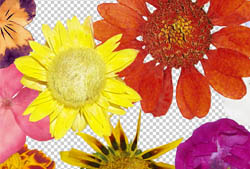
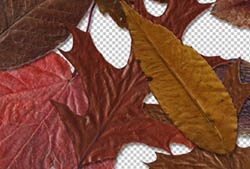
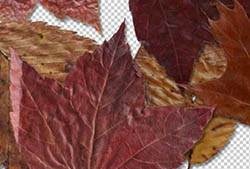
		<content type="html" xml:base="http://www.obsidiandawn.com/fallen-autumn-leaves-ii-transparent-pngs">&lt;p&gt;Today&amp;#8217;s release is a second set of various photos of fallen autumn leaves as transparent PNGs.  It can be used in any program that will support *.PNG files.  (Photoshop, GIMP, PSP, and many more)  These images are extremely high resolution, with the average being about 2300&amp;#215;2000 pixels @ 300 dpi.&lt;/p&gt;
&lt;p&gt;Included are various types and colors of leaves, all picked up from the freshly fallen multicolored autumn foliage.  You&amp;#8217;ll find some red, orange, yellow, brown, etc, leaves within &amp;#8211; all on transparent backgrounds. &lt;/p&gt;
&lt;p&gt;To use them, it&amp;#8217;s as easy as opening up the file and copy/pasting into your own design.&lt;/p&gt;
&lt;p&gt;If you&amp;#8217;re looking for more leaves, check out our first &lt;a href="http://www.obsidiandawn.com/fallen-autumn-leaves-transparent-pngs"&gt;Fallen Autumn Leaves Transparent PNGs set&lt;/a&gt;!&lt;br /&gt;
(...)&lt;br/&gt;Read the rest of &lt;a href="http://www.obsidiandawn.com/fallen-autumn-leaves-ii-transparent-pngs"&gt;Fallen Autumn Leaves II Transparent PNGs&lt;/a&gt; (131 words)&lt;/p&gt;
&lt;hr /&gt;
&lt;p&gt;&lt;small&gt;© Stephanie for &lt;a href="http://www.obsidiandawn.com"&gt;Obsidian Dawn&lt;/a&gt;, 2010. |
&lt;a href="http://www.obsidiandawn.com/fallen-autumn-leaves-ii-transparent-pngs"&gt;Permalink&lt;/a&gt; |
&lt;a href="http://www.obsidiandawn.com/fallen-autumn-leaves-ii-transparent-pngs#comments"&gt;11 comments&lt;/a&gt; |
Add to
&lt;a href="http://del.icio.us/post?url=http://www.obsidiandawn.com/fallen-autumn-leaves-ii-transparent-pngs&amp;title=Fallen Autumn Leaves II Transparent PNGs"&gt;del.icio.us&lt;/a&gt;
&lt;br/&gt;
Post tags: &lt;a href="http://www.obsidiandawn.com/tag/all-programs" rel="tag"&gt;All Programs&lt;/a&gt;, &lt;a href="http://www.obsidiandawn.com/tag/images" rel="tag"&gt;Images&lt;/a&gt;, &lt;a href="http://www.obsidiandawn.com/tag/nature" rel="tag"&gt;Nature&lt;/a&gt;, &lt;a href="http://www.obsidiandawn.com/tag/pngs" rel="tag"&gt;PNGs&lt;/a&gt;&lt;br/&gt;
&lt;/small&gt;&lt;/p&gt;&lt;div class="feedflare"&gt;
&lt;a href="http://feeds.feedburner.com/~ff/StephaniesBlogOfDesign?a=QXFSFq1n-SI:dEsOlqELhhI:V_sGLiPBpWU"&gt;&lt;img src="http://feeds.feedburner.com/~ff/StephaniesBlogOfDesign?i=QXFSFq1n-SI:dEsOlqELhhI:V_sGLiPBpWU" border="0"&gt;&lt;/img&gt;&lt;/a&gt; &lt;a href="http://feeds.feedburner.com/~ff/StephaniesBlogOfDesign?a=QXFSFq1n-SI:dEsOlqELhhI:cGdyc7Q-1BI"&gt;&lt;img src="http://feeds.feedburner.com/~ff/StephaniesBlogOfDesign?d=cGdyc7Q-1BI" border="0"&gt;&lt;/img&gt;&lt;/a&gt; &lt;a href="http://feeds.feedburner.com/~ff/StephaniesBlogOfDesign?a=QXFSFq1n-SI:dEsOlqELhhI:gIN9vFwOqvQ"&gt;&lt;img src="http://feeds.feedburner.com/~ff/StephaniesBlogOfDesign?i=QXFSFq1n-SI:dEsOlqELhhI:gIN9vFwOqvQ" border="0"&gt;&lt;/img&gt;&lt;/a&gt; &lt;a href="http://feeds.feedburner.com/~ff/StephaniesBlogOfDesign?a=QXFSFq1n-SI:dEsOlqELhhI:wF9xT3WuBAs"&gt;&lt;img src="http://feeds.feedburner.com/~ff/StephaniesBlogOfDesign?i=QXFSFq1n-SI:dEsOlqELhhI:wF9xT3WuBAs" border="0"&gt;&lt;/img&gt;&lt;/a&gt; &lt;a href="http://feeds.feedburner.com/~ff/StephaniesBlogOfDesign?a=QXFSFq1n-SI:dEsOlqELhhI:7Q72WNTAKBA"&gt;&lt;img src="http://feeds.feedburner.com/~ff/StephaniesBlogOfDesign?d=7Q72WNTAKBA" border="0"&gt;&lt;/img&gt;&lt;/a&gt;
&lt;/div&gt;</content>
		<link rel="replies" type="text/html" href="http://www.obsidiandawn.com/fallen-autumn-leaves-ii-transparent-pngs#comments" thr:count="11" />
		<link rel="replies" type="application/atom+xml" href="http://www.obsidiandawn.com/fallen-autumn-leaves-ii-transparent-pngs/feed/atom" thr:count="11" />
		<thr:total>11</thr:total>
	<feedburner:origLink>http://www.obsidiandawn.com/fallen-autumn-leaves-ii-transparent-pngs</feedburner:origLink></entry>
	</feed><!-- Dynamic page generated in 1.578 seconds. --><!-- Cached page generated by WP-Super-Cache on 2013-06-18 21:34:15 -->